A brand automates its returns workflow and is thrilled, for a quarter — until someone notices the ops team spending more time in the exceptions dashboard than when they were processing returns manually. This ends up functioning as an automation ceiling.
An automation ceiling is the point where your ERP automation stops reducing workloads and produces periods of frequent manual fixing. But what you might not realize is that you hit this ceiling because of where the automation sits in your retail operations, rather than how much of it there is.
What You’ll Learn
-
The automation ceiling: why automated ERP workflows stop paying off
-
Why legacy ERP architecture caps automation before it starts
-
Where ERP automation breaks first: three failure points to watch for
-
Building ERP automation that actually scales
The Automation Ceiling: Why Automated ERP Workflows Stop Paying Off
Automation rules are conditional logic (“if x, then y”). They only know what to do with the cases they were written for. Every order that doesn’t match that standard pattern still needs a human to weigh in. As you automate more routine work, you’re left with more edge cases than you may have had before.
Beyond a certain point, each new automation rule that’s added to a rigid ERP creates a new exception path. And exception handling is just manual work by another name.
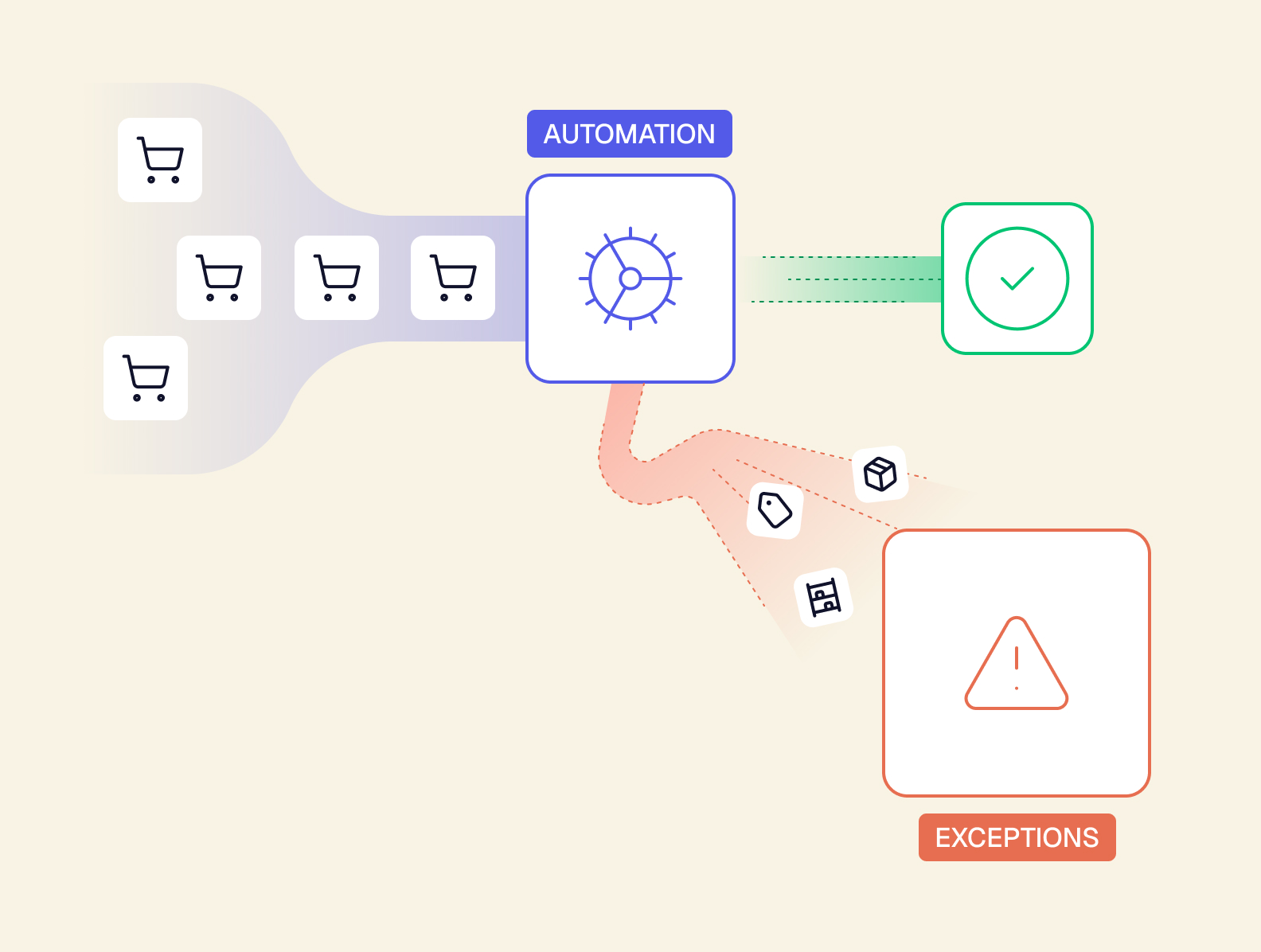
Here’s how this ERP automation problem might show up in day-to-day retail operations:
The backordered bundle component
Problem: A bundle SKU is made up of three components. The automation rule for order fulfillment assumes all components are in stock, but one component is backordered.
Consequence: The rule can’t resolve the order on its own. Someone has to manually decide whether to send a partial shipment, substitute another component, or hold the entire order. Then they’ll enter that decision into the system.
The fix: With a composable ERP, the bundle isn’t a single, opaque SKU. It’s a structured record of the actual components. The system knows that a single backordered component doesn’t mean the entire order is stuck. Automation can suggest a partial ship or a substitute, and a human’s job is to approve recommended actions, rather than manually reconstructing what’s inside the bundle.
The cross-warehouse return
Problem: A customer orders three items that ship from two different warehouses, then returns one. The automated returns workflow assumes the order had a single fulfillment source.
Consequence: Since the return isn’t what the automation expected, it goes into a manual queue. Someone has to figure out which warehouse the item came from, process the return against the correct inventory record, and issue the refund by hand.
The fix: When the ERP is the upstream source of truth for every warehouse and fulfillment source, the automation doesn’t need to guess where the return came from. Because that return already holds the context of its original location, the system can independently route the return and update the correct inventory record.
The mid-promo bundling exception
Problem: A flash sale bundles two SKUs into a temporary promo item. The automation rules for inventory allocation and pricing were created around the usual product catalog, not one-off promo combinations.
Consequence: The system doesn’t recognize the combination, so every order with the promo bundle falls out of automated processing. Someone has to manually allocate inventory and apply the price for each one.
The fix: Rule changes on a composable ERP system are a same-day configuration change, not a dev ticket that will get addressed eventually. This allows the ops team to set up the promo combination before the sale goes live — making it sustainable to run more flash sales, more often.
Each of these examples had an ERP automation rule that was built for the standard case, and a human employee who ended up doing everything that wasn’t standard. The way to resolve this isn’t by writing more rules, but instead giving your system the flexibility it needs to support these actions — without complicated workarounds.
Why Legacy ERP Architecture Caps Automation Before It Starts
Automation bolted onto a monolithic ERP inherits that ERP’s rigidity. It can only automate what the system was already built to model. So if that ERP wasn’t built to natively understand retail complexity, there’s no amount of automation layered on top that can close that gap.
A headless, composable, AI-native ERP is fundamentally different. The API is the product, and the screen is just one manifestation of it — which means the system isn’t limited to whatever the interface was originally built to show. Here’s what that difference actually looks like.
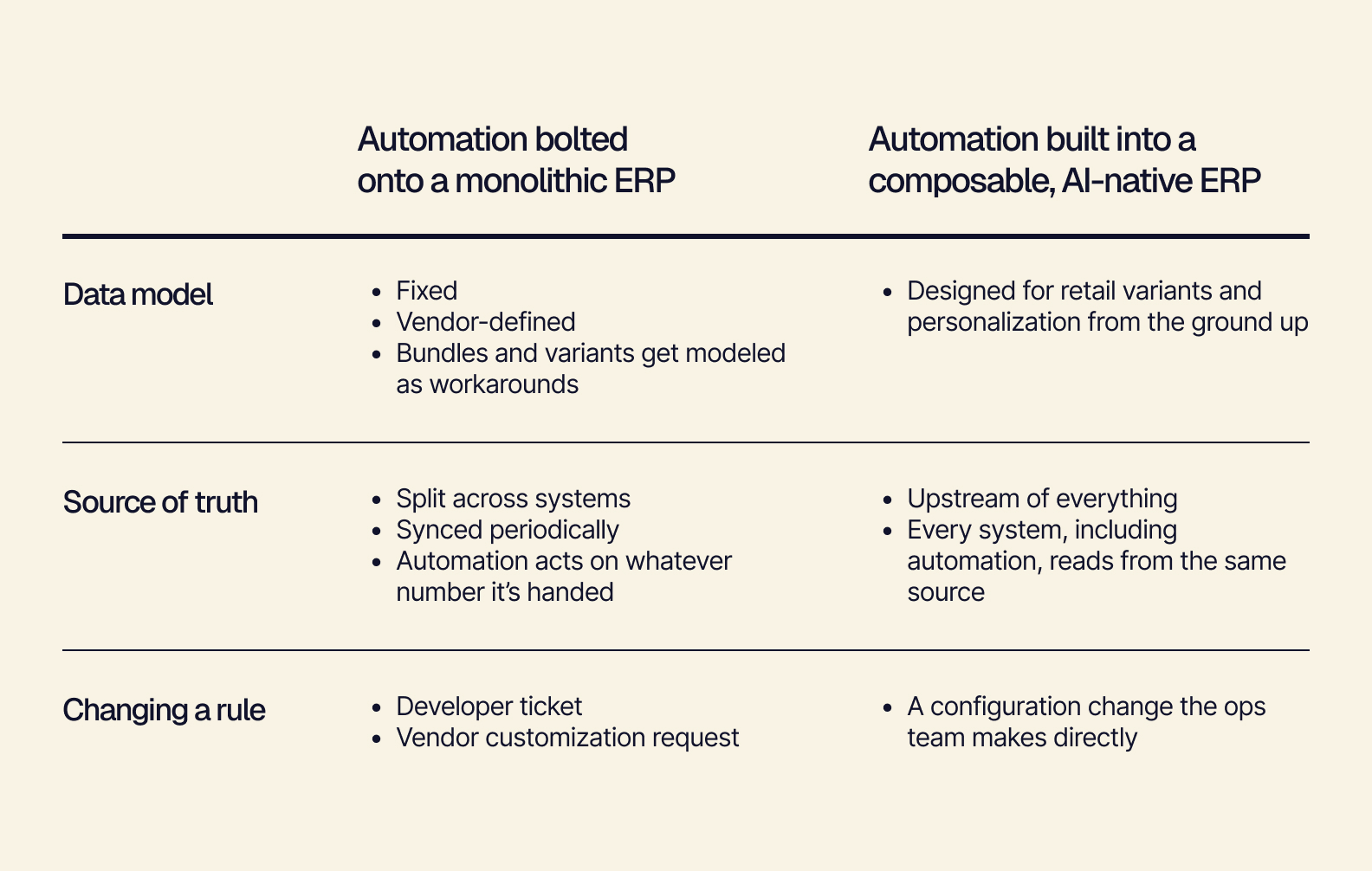
The difference is easiest to feel when a rule needs to change. What used to mean a developer ticket or a vendor request becomes a same-day configuration change the ops team can make directly, with no need to wait on IT or the vendor.
Where ERP Automation Breaks First: Three Failure Points to Watch For
A rigid ERP does more than slow automation down. It also limits what automation can attempt. This shows up in three specific places. When you know where to look, these three failure points are easy to spot in your own operations.
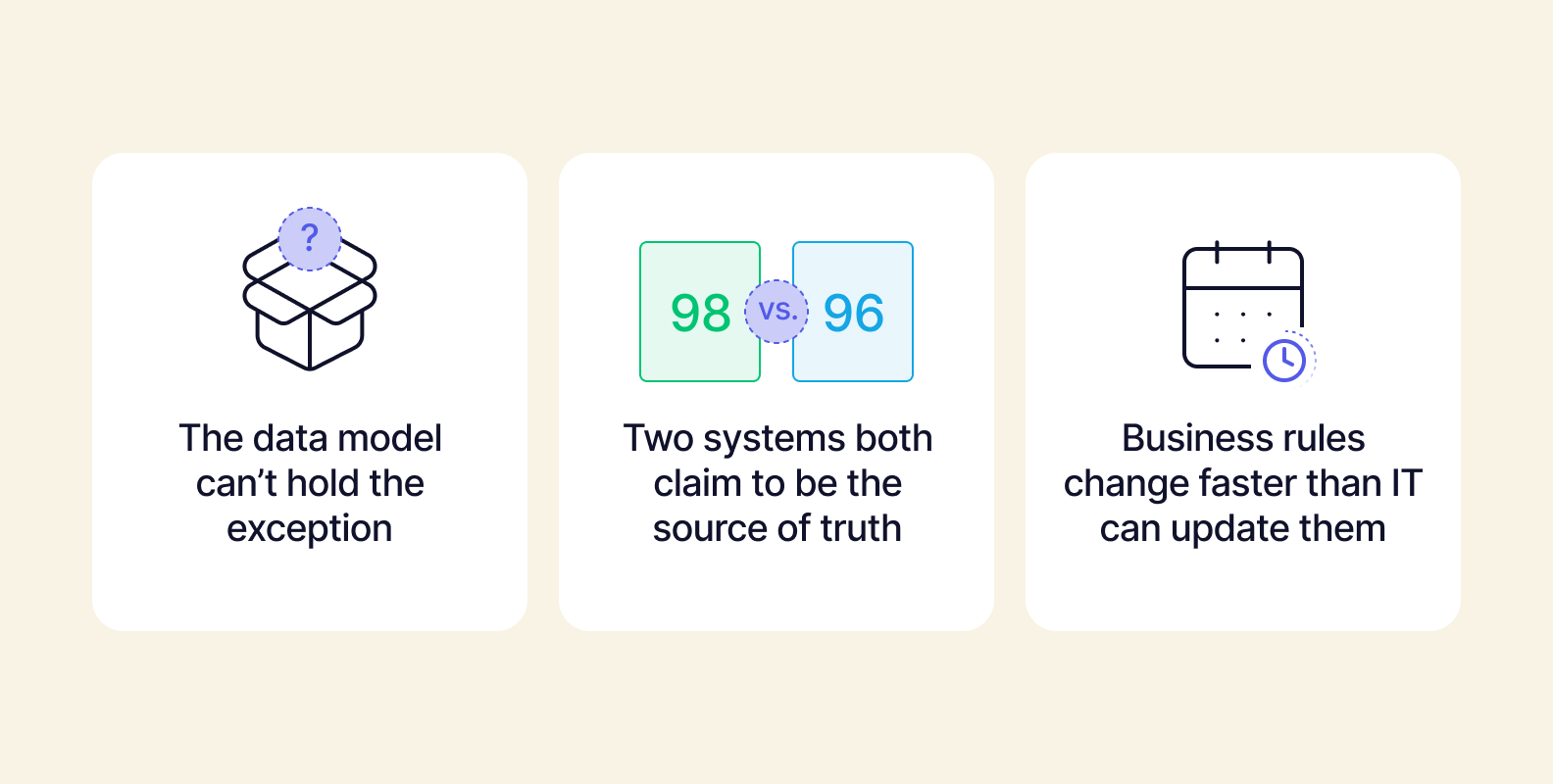
#1. The Data Model Can’t Hold the Exception
Problem: Bundles, kits, and variants often get modeled as a workaround (for example, a “mystery pack” as a single SKU) rather than natively. The ERP knows the bundle exists. But it doesn’t have a record of what’s actually inside.
Consequence: Any automation touching that SKU has incomplete information. It either fails silently (marking an incomplete order as fulfilled) or routes to a human by default because it doesn’t know where else to send it.
#2. Two Systems Both Claim to Be the Source of Truth
Problem: Inventory count exists in Shopify, your 3PL’s WMS, and your ERP. These three separate numbers don’t sync simultaneously. They can easily get out of sync, and automation has no way to know which one to trust.
Consequence: Automated reorder and restock rules either overtrigger, acting with false confidence on stale data, or your team disables them entirely because nobody trusts the numbers they’re acting on.
#3. Business Rules Change Faster Than IT Can Update Them
Problem: Retail rules change fast. Promo logic, shipping thresholds, and channel-specific pricing shift weekly. But in a legacy ERP, automation logic exists in code or vendor configuration that takes a full dev cycle to alter.
Consequence: The automation quietly goes stale. It’s still running, just against last month’s rules — so someone downstream is forced to manually correct its output.
Building ERP Automation That Actually Scales
This isn’t an argument against automation; it’s an argument for building your automation on top of a headless, composable foundation.
Automation holds up when it sits on a system that’s designed to be a single, upstream source of truth — something that’s decoupled from any one function, with a human-in-the-loop for important judgment calls.
-
Decouple accounting from operations. Ops rules need to change fast. But on most systems, touching that logic means touching the same system that finance depends on to close the books. Decoupling means ops can move at ops speed without finance approval, and finance can close the books on their own schedule, without either one holding up the other.
-
Best-in-breed, not all-in-one. If the entire ERP system is a rigid ecosystem, every domain’s automation logic is stuck moving at the pace of the most cautious one. With composability, however, inventory automation, fulfillment automation, and pricing automation can each evolve on their own schedule.
-
Human-in-the-loop automation, not just automation. The goal shouldn’t be zero human touch. The idea is for automation to absorb the volume and for people to handle the judgment calls that automation shouldn’t be making, anyway. The problem with rigid automation is that humans are called in to fix broken tasks that the automation should be able to complete under the right conditions.
-
Keep the parts of your process that work. Rather than starting lengthy rip-and-replace cycles or starting from scratch, you can keep the software, tools, and processes that work. This gives you the opportunity to leave behind the awkward, complex, and brittle workflows that were stalling your automations.
Break Through Your Automation Ceiling
If you’ve hit the automation ceiling, it doesn’t mean you’re doing ERP automation “wrong.” You’ve simply automated a system that wasn’t built to hold it. Fix the foundation, and the automation you already have will start paying off the way it was supposed to — helping you scale your business without operational chaos.
Tailor comes with the UI and modules built in — automations that actually hold, live in just a few weeks. Book a free demo to see how Tailor can improve your ERP automation and retail ops.