An item shows up online as in stock. A customer orders it — but the product isn’t actually in stock. All you can do is cancel the order, issue a refund, and cross your fingers they come back.
At first this might seem like an inventory sync problem, but it’s actually an issue with your system architecture. Most retail brands with a self-healing inventory system can only manage the symptoms, without addressing the cause.
This guide walks through why inventory breaks, why the usual fix doesn’t hold long-term, what an optimized self-healing system looks like, and how it impacts your day-to-day operations.
What You'll Learn:
-
Why your inventory keeps “healing” the same break
-
The usual “fix” is just duct tape
-
What actually makes inventory self-healing
-
How self-healing inventory shows up day-to-day
Why Your Self-Healing Inventory Keeps Breaking in the Same Places
One of the root causes of recurring inventory problems is that your data is being managed by fragmented systems. There are three major concepts that are helpful to understand when it comes to this issue:
-
Phantom inventory: The system says you have stock, but it’s nowhere to be found. This has a major impact on customer relationships: Someone buys something that isn’t there, you’re forced to cancel the order, and customer trust erodes.
-
Ghost stock: Ghost stock is the opposite issue — you do have the inventory, but your channels don’t know it’s sellable. It might be sitting in a location your ecommerce platform doesn’t poll, or maybe it was received but not reconciled into available-to-sell. Ghost stock isn’t a “loud” problem, so it’s easy to overlook. But it’s still costing you money.
-
Batch-sync lag: This is the cause of both phantom inventory and ghost stock. If your systems only reconcile every few hours, you’re always going to have a window where there’s a difference between what the system is showing and what’s actually true.
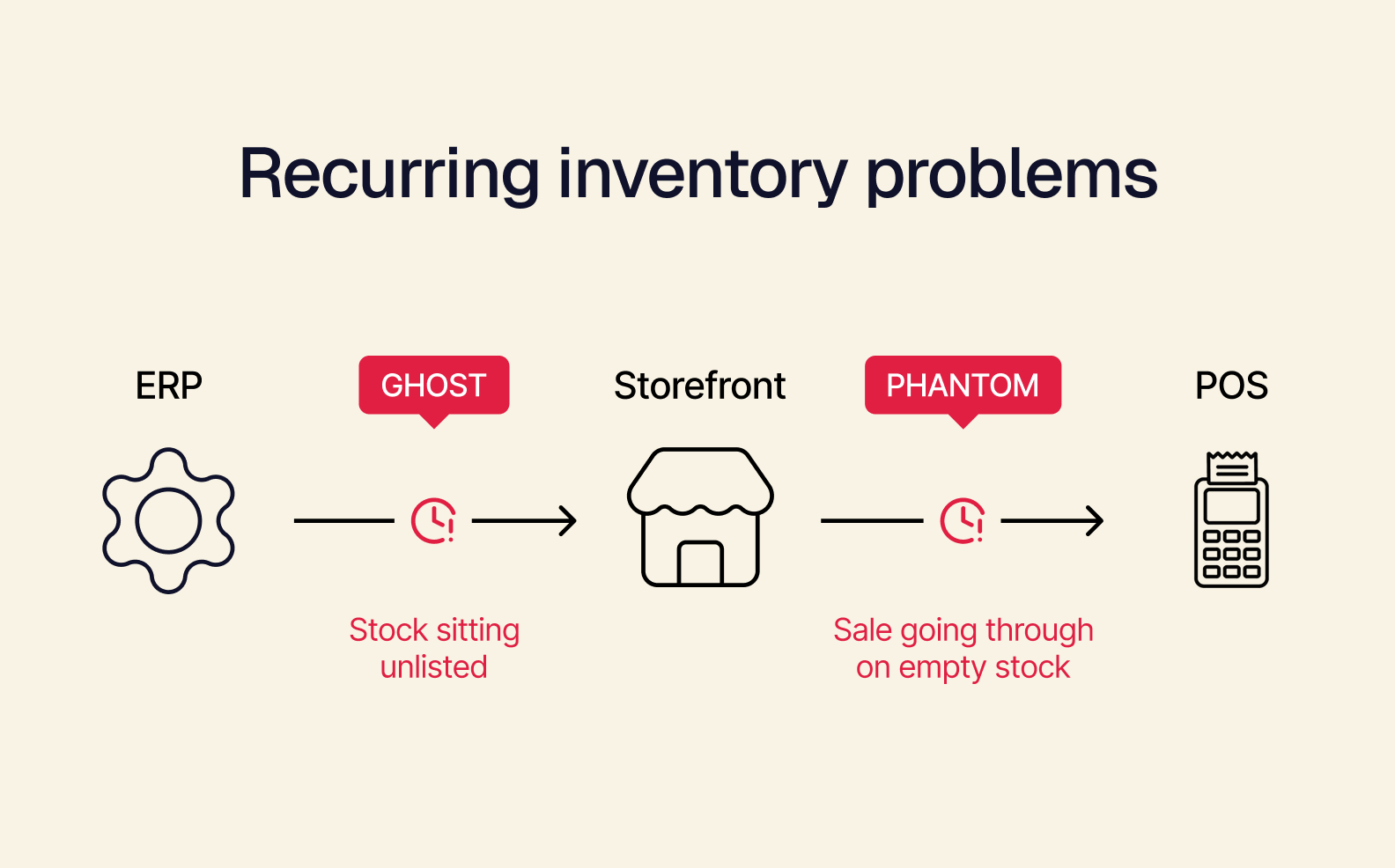
As a consequence of these three failures, retailers deal with reduced customer trust, increased operational firefighting, frequent manual reconciliation, and margin erosion.
The Usual “Fix” Is Just Duct Tape
Most retailers who are experiencing these issues with their self-healing inventory tools end up adding another system to keep in sync. While the new system might help for a short period, the data foundation underneath is still fragmented, and a self-healing inventory system can’t run optimally with that.
This can result in a bolted-on inventory layer and middleware that’s pushing real-time updates. While this makes syncing faster, it doesn’t make the data visibility problem disappear — ghost stock and phantom inventory are still being missed.
So what does a self-healing inventory actually need to do its job? A flexible, composable foundation that offers a single source of truth for your inventory.
What Actually Makes Inventory Self-Healing
An AI system continuously reads demand, sales, and supply data. The AI layer’s job breaks into three primary concrete behaviors:
-
Reading incoming information as it arrives: Processing things like purchase orders, vendor notices, and shipping updates as soon as they come in, rather than waiting for someone to manually enter or reconcile them.
-
Recommending inventory and production adjustments: Using its visibility into current and historical data to suggest changes based on patterns that a person would take longer to spot.
-
Catching disruptions before they cascade: Detecting things like a vendor delay, a demand spike, or a material going on backorder, and surfacing that early enough to pivot instead of discovering it as a stockout.
But none of this works without a few key architectural conditions underneath it:
-
Source of truth upstream of everything. The AI can’t spot a backorder-driven disruption early if “current inventory” means three different numbers depending on which system you ask. To notice something’s off, it needs one live number it can depend on.
-
The screen is one manifestation of the API. Recommending an inventory shift only works if POS, storefront, and marketplace listings are reading the same live state — not separate systems the AI would have to reconcile before it could see the problem.
-
Best-in-breed, not all-in-one. An AI system bolted onto a stack of disconnected tools is only able to analyze the data inside the single tool it’s attached to. It needs inventory logic built into the core system — not isolated in a module — to get a full picture and be able to give accurate recommendations.
How Self-Healing Inventory Shows Up Day to Day
What does self-healing inventory actually look like in your daily operations? Here are a couple of examples.
When a Shipment Runs Behind
A key material for a fast-moving SKU gets flagged as delayed by a vendor notice. The system:
-
Catches it immediately
-
Cross-references which orders and upcoming production runs depend on that SKU
-
Surfaces some options (but doesn’t pick one): hold the affected orders, substitute a comparable material that’s already in stock, push the restock date and notify the channels selling it
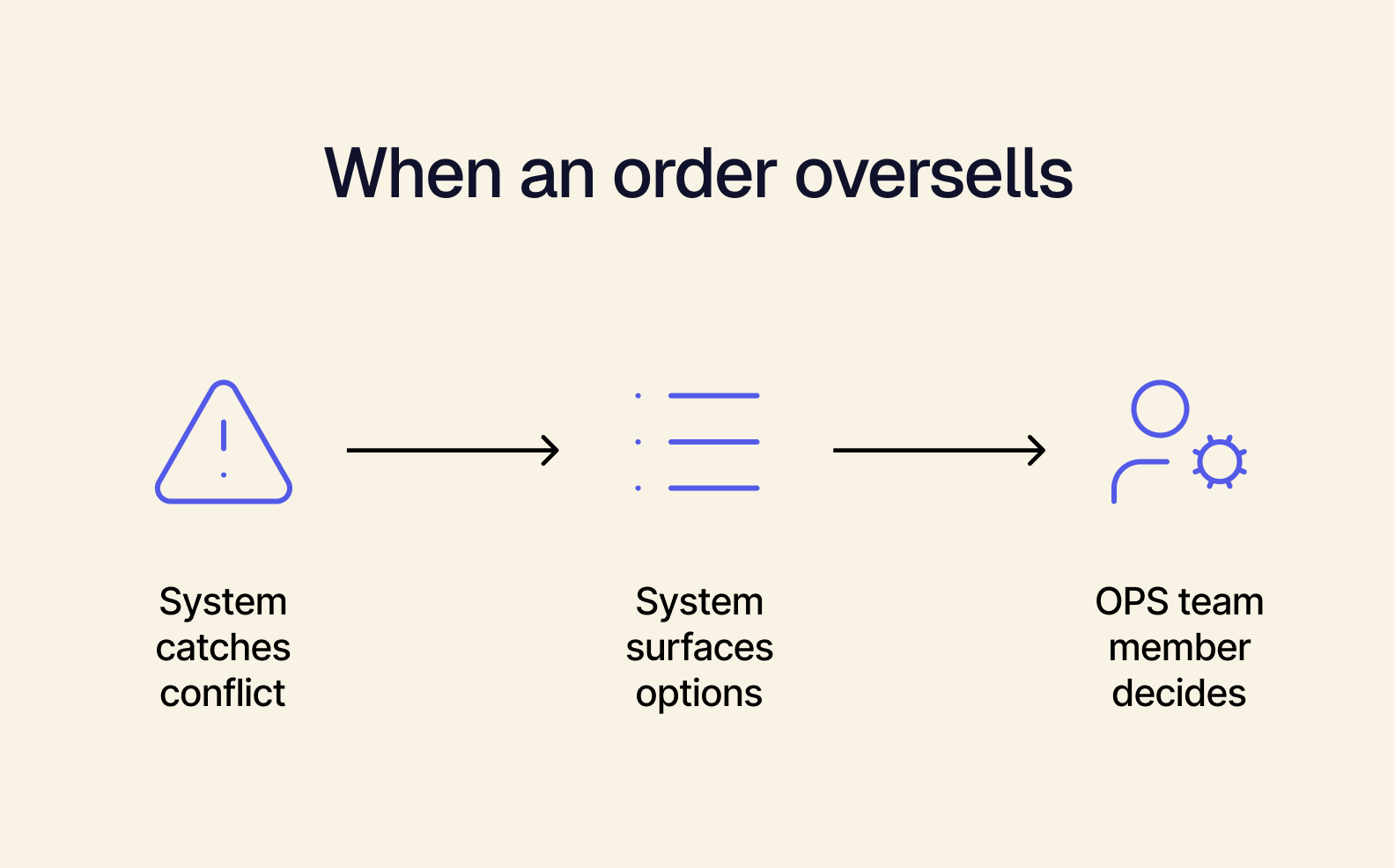
An ops team member reviews the tradeoffs, weighing what’s feasible based on current stock and customer commitments. Then, they make the call, whether that’s approving the substitution or adjusting the timeline themselves.
When an Order Oversells
A customer places an order for an item that shows as available. But at the same time, a sale at another location is pulling the last unit.
That discrepancy could have surfaced as a cancellation email days later. Instead, the system:
-
Catches the conflict as it happens
-
Checks real-time stock across every location
-
Surfaces the nearest one that can fulfill the order
An ops team member reviews it against the customer’s expectations and picks the fulfillment path, whether that’s rerouting to the location the system flagged or holding the order for a quicker restock instead.
No More Layers, Just One Source of Truth
Self-healing inventory comes from an AI system with a full, live picture of your business — and that’s only possible when there’s one source of truth for it to read from.
Book a Tailor demo and see what inventory looks like when there’s nothing left to reconcile.