Your ecommerce business has been squeezing by on a precarious combination of Shopify, QuickBooks, ShipStation, and spreadsheets. But as you continue to grow, that’s not going to work forever. At some point, you’re going to need an ERP.
The internet makes ERP implementation sound scary — an expensive, 12-18 month project that will drag your team away from their other work and take a long time to show real value.
But the problem behind this fear isn’t the ERP itself. It’s the implementation model.
And there’s a better way.
You don’t have to rip out every tool you have and replace it with the vendor’s suite. You can keep your existing tools, use an ERP to connect them into a unified backend, and go live in weeks, not months.
In this guide, you’ll learn what ecommerce ERPs actually need to do, what switching really costs, and how to evaluate your options with this new perspective in mind.
What You’ll Learn
- What the best ERP system for ecommerce actually needs to do
- The hidden cost of switching to an ecommerce ERP system
- Why the best ERP system for ecommerce might not require replacing your stack
- How to evaluate an ecommerce ERP without replacing your stack
- The ecommerce ERP system built to connect, not replace
What the best ERP system for ecommerce actually needs to do
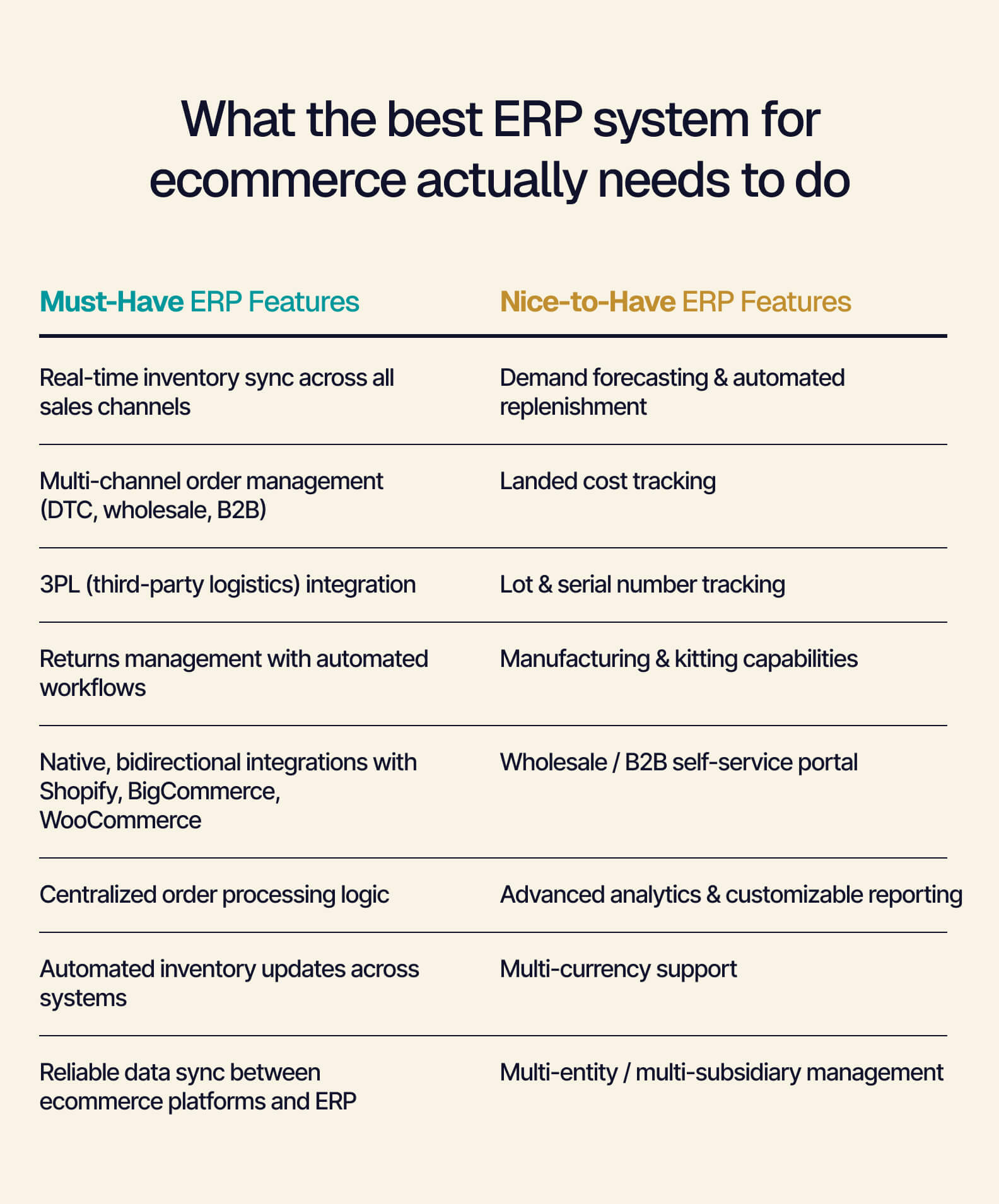
If you’re in the market for a new ERP system tailored for your ecommerce business, there are a handful of must-have features that are necessary across the board. Here are the top features to keep an eye out for during your search:
- Real-time inventory sync. When your inventory doesn’t update in real time across channels, you face the potential of overselling. Your inventory count should immediately refresh itself across every channel as soon as a Shopify order comes through.
- Multi-channel order management (DTC, wholesale, B2B). Ideally, your ERP will combine all of your order sources in one place with unified processing logic. This centralization goes a long way to simplify order management.
- 3PL integration. Third-party logistics (3PL) integration is important because it eliminates a lot of manual work. When order data and fulfillment data can automatically flow back and forth from the 3PL, your team is no longer stuck waiting for shipping confirmations or doing manual reconciliations.
- Returns management. High ecommerce return rates (an industry average of nearly 17%, according to the National Retail Federation in 2024) make returns management an important function for an ecommerce ERP. Look for automated return authorization workflows, disposition rules, and immediate inventory updates.
- Integrations with Shopify, BigCommerce, and WooCommerce. It’s not enough for an ERP to simply have these integrations available — each one needs to be highly functional. Bidirectional sync and native or vendor-built connectors are green flags.
This checklist is a good starting point for an ecommerce ERP. But your evaluation shouldn’t stop with a simple feature list.
The most important detail that influences whether your implementation takes six weeks or 18 months is how the ERP connects to the tools you’re already using. That’s the really crucial determining factor. We’ll dive deeper into that in just a minute.
The hidden cost of switching to an ecommerce ERP system
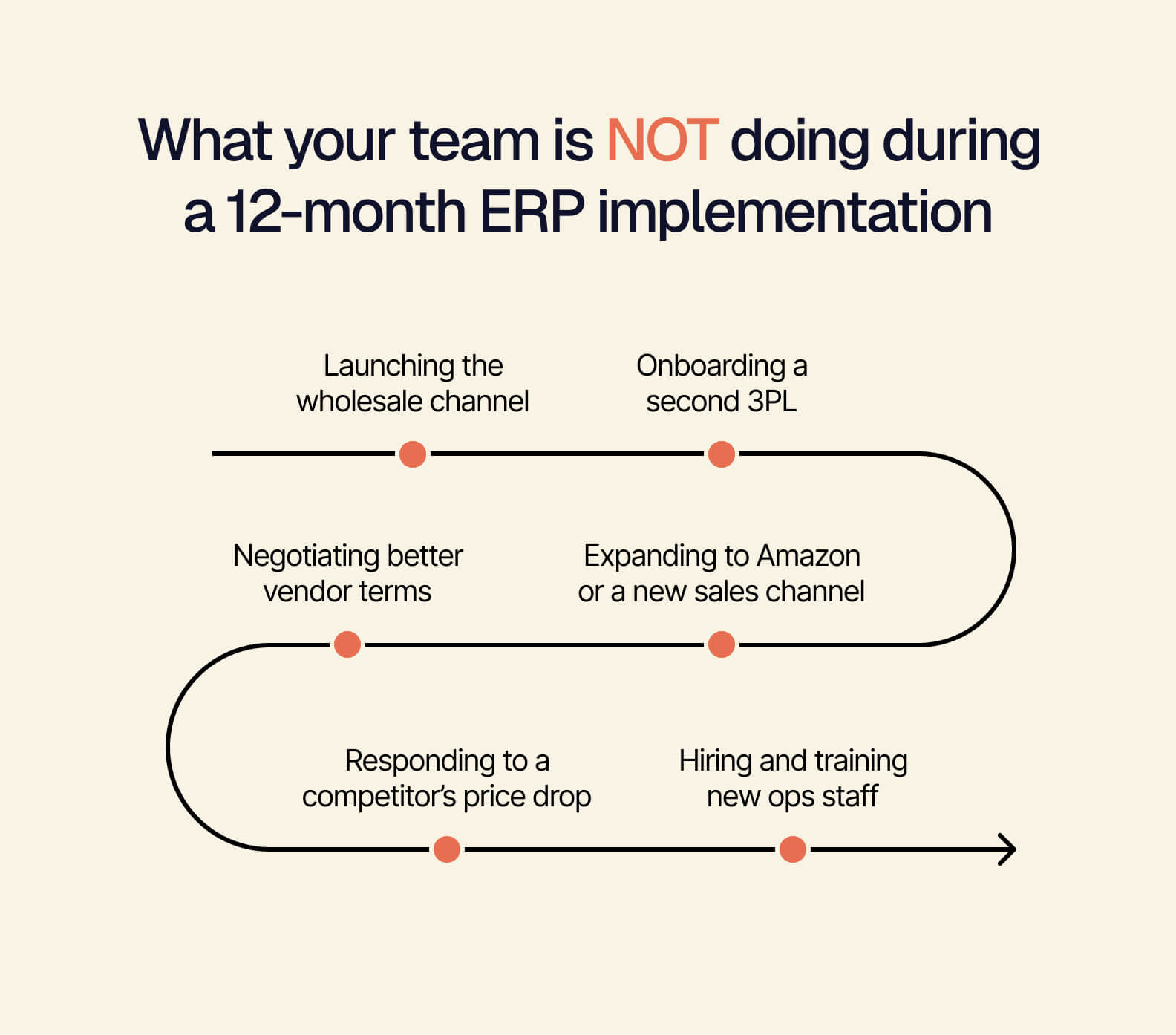
ERP software comes with a hidden cost — or rather, several hidden costs. The price tag you’re aware of up front is just the beginning. Mid-migration, you’re also likely to find yourself dealing with:
- Cleaning, mapping, and validating data, which is complex and time-consuming
- Lost productivity while training customer service, operations, and warehouse employees on the new system
- Slow growth during the 12-18 month implementation
In the real world, these costs add up quickly. Imagine a U.S.-based, direct-to-consumer home goods brand. Perhaps this brand makes $12 million in annual revenue, uses Shopify and QuickBooks, and has 22 total employees (including six operations employees).
While its stack has been more or less working for the last few years, it’s losing $30K in revenue every quarter. Meanwhile, inventory reconciliation is eating away at employee time — and the wholesale channel it’s been planning to launch has been on hold for 14 months because it can’t get clear inventory visibility.
So the brand finds an ERP, signs a contract, and starts the implementation process. Along the way, these are the costs it faces:
- Software licensing: $48,000/year
- Implementation services: $95,000
- Data migration: Three months of work and a $15,000 data cleanup project
- Custom Shopify integration: $22,000
- Team retraining: Six weeks of reduced productivity for the ops team, equaling an estimated $18,000 in labor cost
- Go-live delay: Four months later than intended
- Wholesale channel delay: On hold through the implementation, costing approximately $200,000 in foregone revenue per quarter
The total first-year cost was approximately $198,000 against an initial sticker price of $48,000. And that wholesale channel — the whole reason the brand started this process? It didn’t launch until a full 15 months after the company signed the ERP contract.
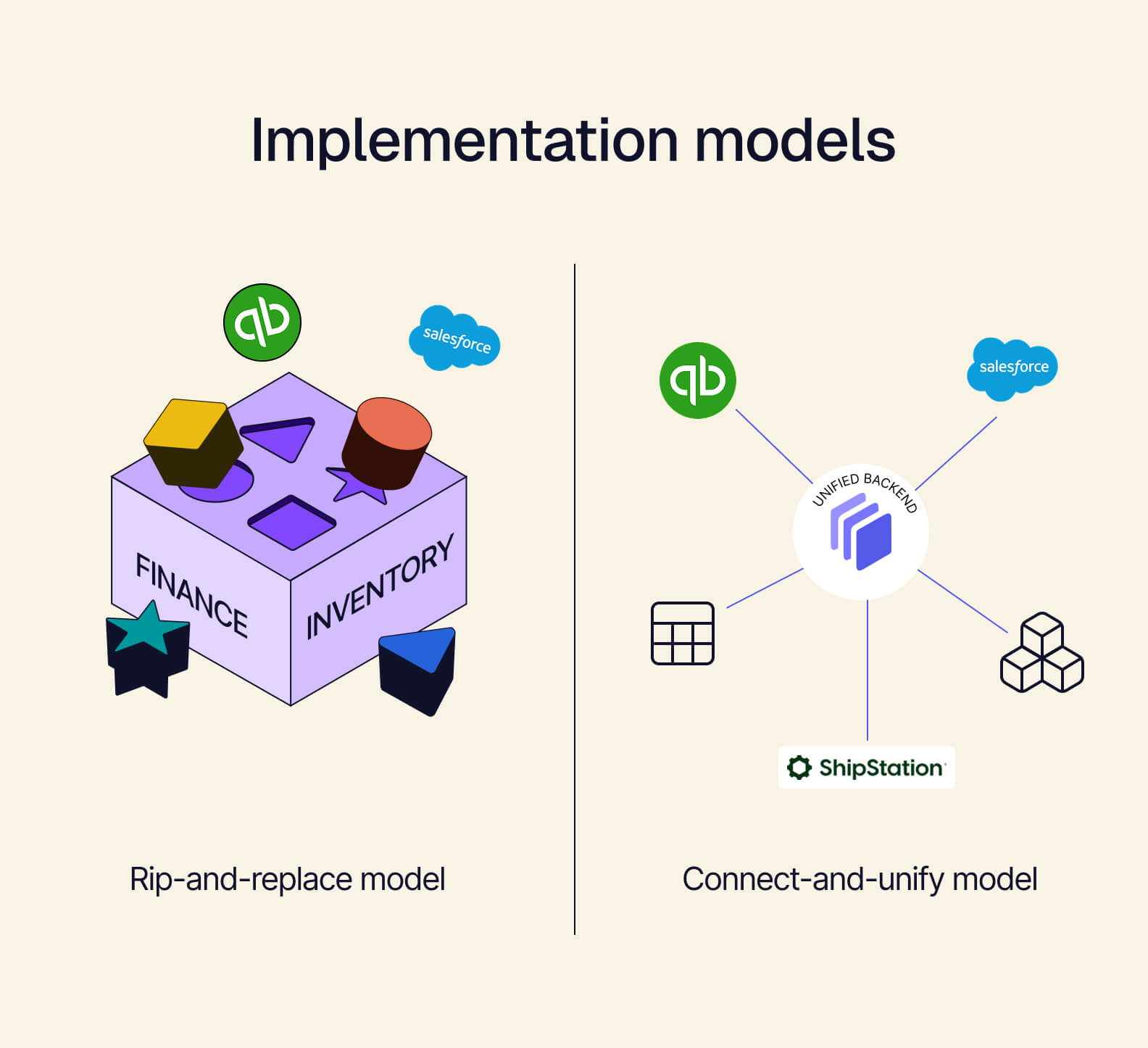
These costs are not the price of getting an ERP. They’re the price of ripping out your existing tools and replacing them.
As you compare vendors, it’s worth considering: What if you could get unified operations without going through any of this?
Why the best ERP system for ecommerce might not require replacing your stack
ERP implementation and rip-and-replace don’t have to come hand-in-hand. There are other implementation models, too. And it’s entirely possible to get started with an ERP without having to replace anything.
A composable ERP connects the tools you already use (Shopify, QuickBooks, ShipStation) into a single unified backend. Tailor serves as the middle layer to synchronize data in real-time across all systems. There’s no migration nightmare, and you can swap individual components anytime (outgrowing QuickBooks? Swap it for NetSuite without touching any other tools) since you’re not locked into one vendor’s suite.
Think about the home goods company we discussed a minute ago. With a more traditional ERP — one that needed rip-and-replace — it was looking at a 15-month, $198,000 implementation with its wholesale channel still on hold.
But if that same brand chose a composable ERP instead, it could continue using Shopify, QuickBooks, and ShipStation and use Tailor to connect them into one backend. Implementation would be fully complete in just weeks. And with the ops team still working in familiar tools, that wholesale channel could launch this quarter.
How to evaluate an ecommerce ERP without replacing your stack
When you know you don’t have to rip-and-replace, your evaluation criteria change. You’re no longer choosing between two migration nightmares. Now, you’re looking at one major question: how an ERP would connect the tools you already have.
There are five evaluation criteria that are most helpful for composable ERP. The first two are the most important:
- Architecture type. Identify whether the ERP is monolithic (you’re required to use everything from one vendor) or composable (you can connect your existing tools through a unified backend without replacing them).
- Integration depth. As mentioned earlier, look for native connectors that sync bidirectionally and confirm which data objects flow. An integration that syncs inventory, products, and financials in real time is much more helpful than one that only pushes orders in a single direction.
- Implementation timeline. Ask vendors for specifics on implementation and how it would work for your company’s size and stack. Composable architecture eliminates most of the factors that make implementation drag out.
- Customization model. Traditional ERPs let you configure and adjust settings. Headless ERPs (see below) have much deeper, architecture-level customization, allowing you to build interfaces and workflows that align with how your team prefers to work.
- Pre-built modules. A composable ERP that comes with out-of-the-box modules gets you to your go-live date faster. Otherwise, you’ll be building from the ground up.
The deeper customization model is made possible by a specific architectural choice known as headless ERP. A headless ERP, like Tailor, separates the backend (data, logic, integrations) from the frontend (the interface your team sees and uses). You can customize the frontend to match your business processes.
Headless is valuable for ecommerce because you can give different teams the different views they need, and because your interface can evolve as your business grows without needing another new implementation.
Since Tailor ships with a pre-built frontend — modules including procurement, sales, inventory management, and manufacturing — you can jump in and immediately start using what’s there.
Then, as your needs change over time, you can customize the frontend to better line up with your operations.
The ecommerce ERP system built to connect, not replace
With Tailor’s composable, headless ERP, you can skip the migration nightmare and deploy with pre-built modules and integrations in just weeks.
Continually customize as you grow, and you’ll be able to add new channels, scale operations, and expand into additional markets sooner rather than later.
See what’s included out-of-the-box for ecommerce operations.