Solving production issues is a huge part of having a manufacturing aspect to your business. But how do you properly solve business problems? You find the right tool for the job and get to work. Sometimes, though, you may not have the right tool for the job — and you've got to move quickly to ensure you don't massively delay your production schedule.
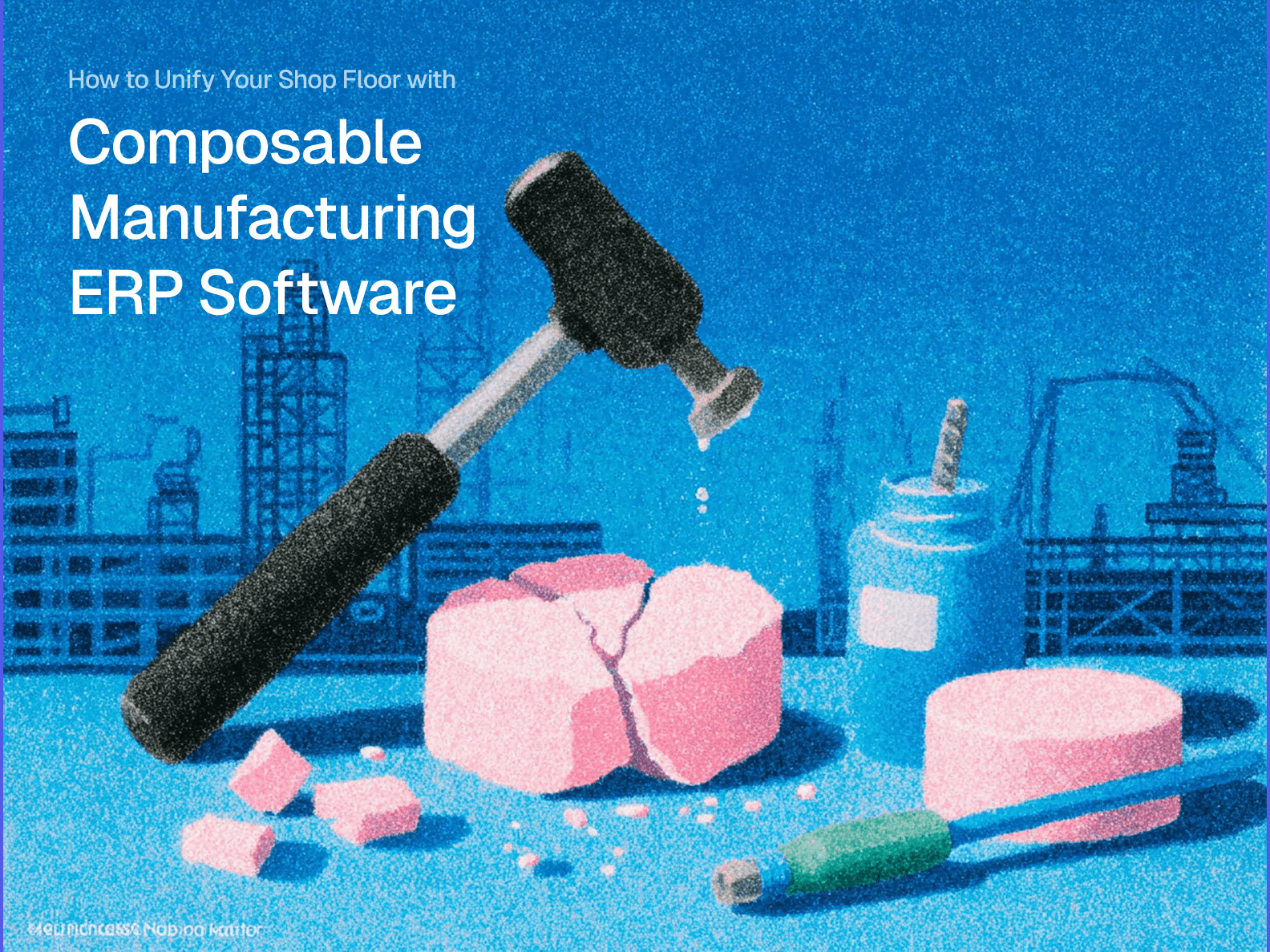
Your production issue is a "nail," and you need a "hammer", but you only have a "screwdriver". Naturally, you're going to use the handle of the screwdriver to drive the nail into place. In the process, your screwdriver handle cracks, so now the next time you need that screwdriver, you'll have to find another subpar tool to do the job.
How are you supposed to solve your production issues if you don't have the right tools? When your shop floor is being overwhelmed by disconnected tools, what are you going to do to unify them and streamline your process?
Luckily for you, we've got the "hammer" — composable manufacturing ERP software — but before we get to that, let's dig into understanding core, manufacturing-specific ERP features and where your business might actually be struggling.
What You'll Learn
-
What MRP tools are and how BOM and production scheduling are managed by them.
-
Why using spreadsheets and data entry errors is threatening the long-term health of your business.
-
What manufacturing ERP software can do to massively increase your production and unify your operation.
Understanding Core Manufacturing ERP Software Features
Before diving into how composable manufacturing ERP software can unify your shop floor, it's important to understand the basics. Let's define what bills of material (BOM), production scheduling, and manufacturing resource planning (MRP) all mean in context of composable tools.
What is the difference between an MRP and an ERP?
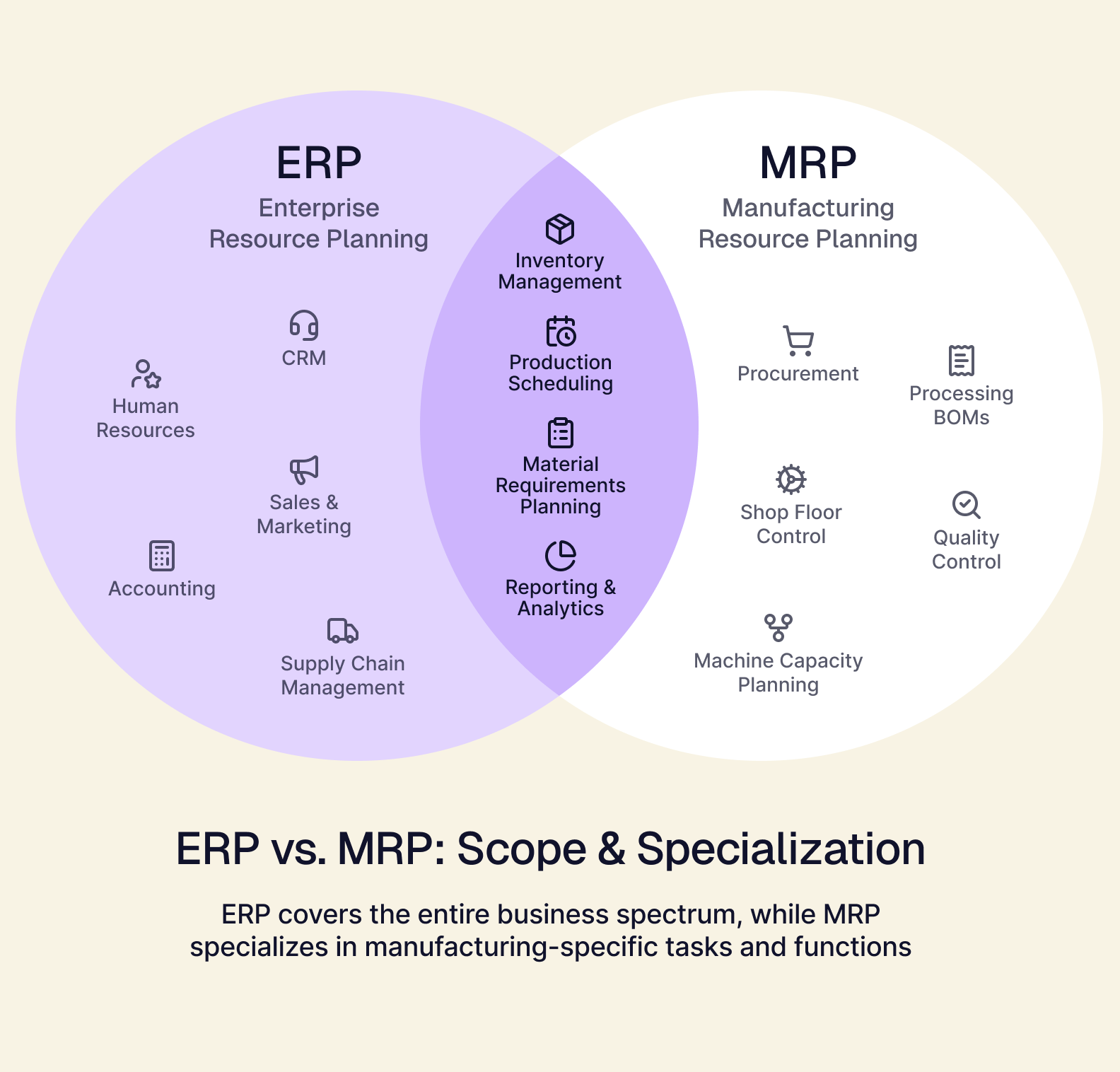
Manufacturing ERP software touches every aspect of a business, from inventory and production to HR, CRM, and accounting. An MRP, on the other hand, specializes in providing a unified system for manufacturing specific tasks, like inventory management, production scheduling, procurement, processing BOMs, and more.
Because manufacturing tools tend to be more specialized than other key tools that ERPs cover, MRPs are designed specifically for manufacturing tasks. In a composable ERP environment, a business with a heavy focus on manufacturing can have a modular ERP system that functions like an MRP while still offering a unified system for other tools that ERPs typically cover.
How BOMs and production scheduling get integrated into an ERP
Typically, generating BOMs and production scheduling are handled by separate software solutions. In an ERP, they can be accessed via a unified graphical interface that helps streamline file transfers and manage data without having to deal with troubleshooting. In a composable environment, you can have a system that's specifically designed to work with your current tools, rather than having to switch over to ERP-specific solutions.
Transferring BOMs from CAD (Computer-Aided Design) or PLM (Product Lifecycle Management) tools into a production scheduling software can result in errors that can slow down your production pipeline — which is why having an MRP or composable ERP solution can make all the difference for your speed and efficiency.
Spreadsheet Fatigue and the Risks of Manual Data Entry
Getting back to the analogy from earlier: the spreadsheet system that manages your production pipeline and shop floor is a "screwdriver" rather than a "hammer". Using Excel to run one of the most important parts of your business made sense when you were much smaller — but now the stakes are way too high to risk data silos and manual data entry errors.
But how does running your shop floor via Excel cause spreadsheet fatigue?
-
Spreadsheets are complex, and interfacing with them is a chaotic process. The more complicated your spreadsheets become, the easier it is to misrecord data, which leads to exhausting repetitive behaviors to ensure that pulled data is actually correct.
-
The lack of useful and flexible UI options reduces usability. Any shop floor worker will tell you that spreadsheets are fine once you get used to them. But in the long term, increased complexity makes it increasingly difficult to interface and parse the information with these spreadsheets.
-
Tasking time is constantly wasted on transferring data around and crunching numbers. When you've got multiple spreadsheets running your shop floor, your workers spend way more time reconciling data and moving it around than they do on other, more important tasks. Without your data being delivered and parsable in one place as a single source of truth, this can lead to confusion and mistakes.
Each of these spreadsheet-related issues comes together to put stress on your business and your shop workers. You end up stuck in a rigid, slow, and bloated workflow environment — which leaves your shop feeling stuck in the past. Maybe you've looked into integrating a legacy ERP system into your business, but its rigid interfaces and mandatory tools don't work well for how you operate.
So instead of getting your "hammer" to solve your problems, you keep leaning on your cracked "screwdriver" to get the job done. It might work for the time being, but don't wait till it finally breaks.
Why Manual Data Entry is a Risk You Can't Afford
Manual data entry is risky. Data entry errors force your business into reactivity loops and firefighting patterns, especially when preventing reactionary pivots can go a long way to improving your overall performance in the marketplace.
Here are some of the more concrete ways that manual data entry is opening your business up to unnecessary risk:
-
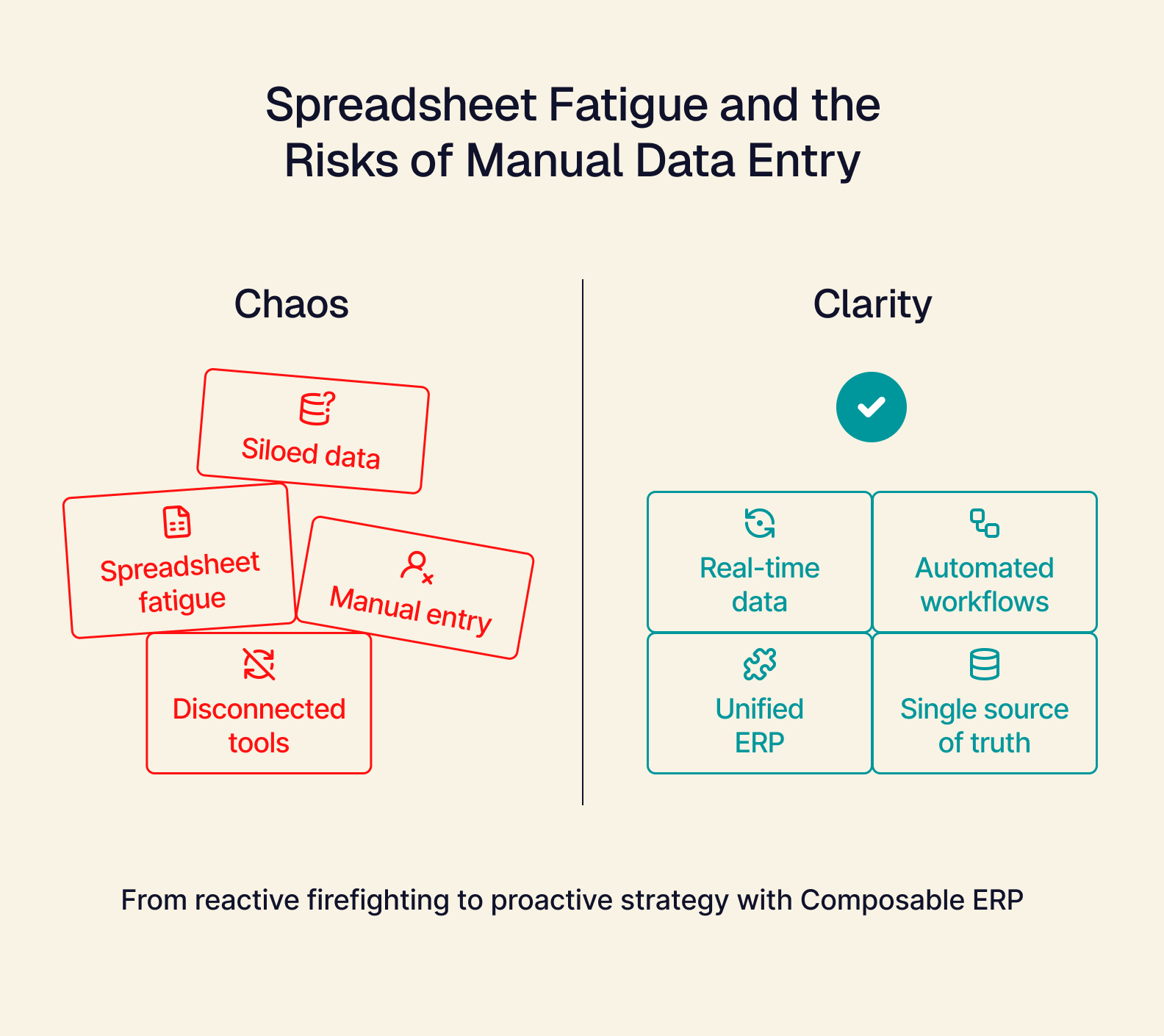
Siloed data is untrustworthy data. You might be pulling your data from an application or tool and transferring it into a spreadsheet. What happens when you have to merge that data into another spreadsheet and then export that data into another application to calculate a production timeline for a product? You're now three steps removed from the source, and a single errant keystroke or cell transposition can lead to production mistakes that can't easily be undone.
-
Disconnected tools lead to inefficient workflows. Your workers spend twice as much time tasking as they should, because your BOM tool can only export certain file types, and your production scheduling tool has issues working with that file type. So, before your shop worker can get things squared up in the system, they have to open a third application that allows them to convert the file to another type of file that works for the production tool.
-
Finding and fixing data entry errors can be a nightmare. Someone from your shop floor processed three purchase orders at the start of the week, and now you've gotten your materials from your vendor. Your orders manager is able to go back to the original data and get the right numbers, but now they're paging through spreadsheets trying to figure out where things went wrong.
In a smaller business, these entry errors can be dangerous, but are more easily fixed. In a larger business with a bigger crew and more spreadsheets, one mistake can have a series of knock-on effects that are difficult to stop and even detect in the first place.
The Power of Composable Manufacturing ERP Software
Let's define two terms that you'll need to know for this section:
Headless (ERP) — a flexible backend system designed to connect with API-enabled tools, that has no pre-designed frontend.
Composable (modules) — tools that can be easily added or removed from a system without breaking processes or an entire tech stack.
What Are Composable ERP Modules?
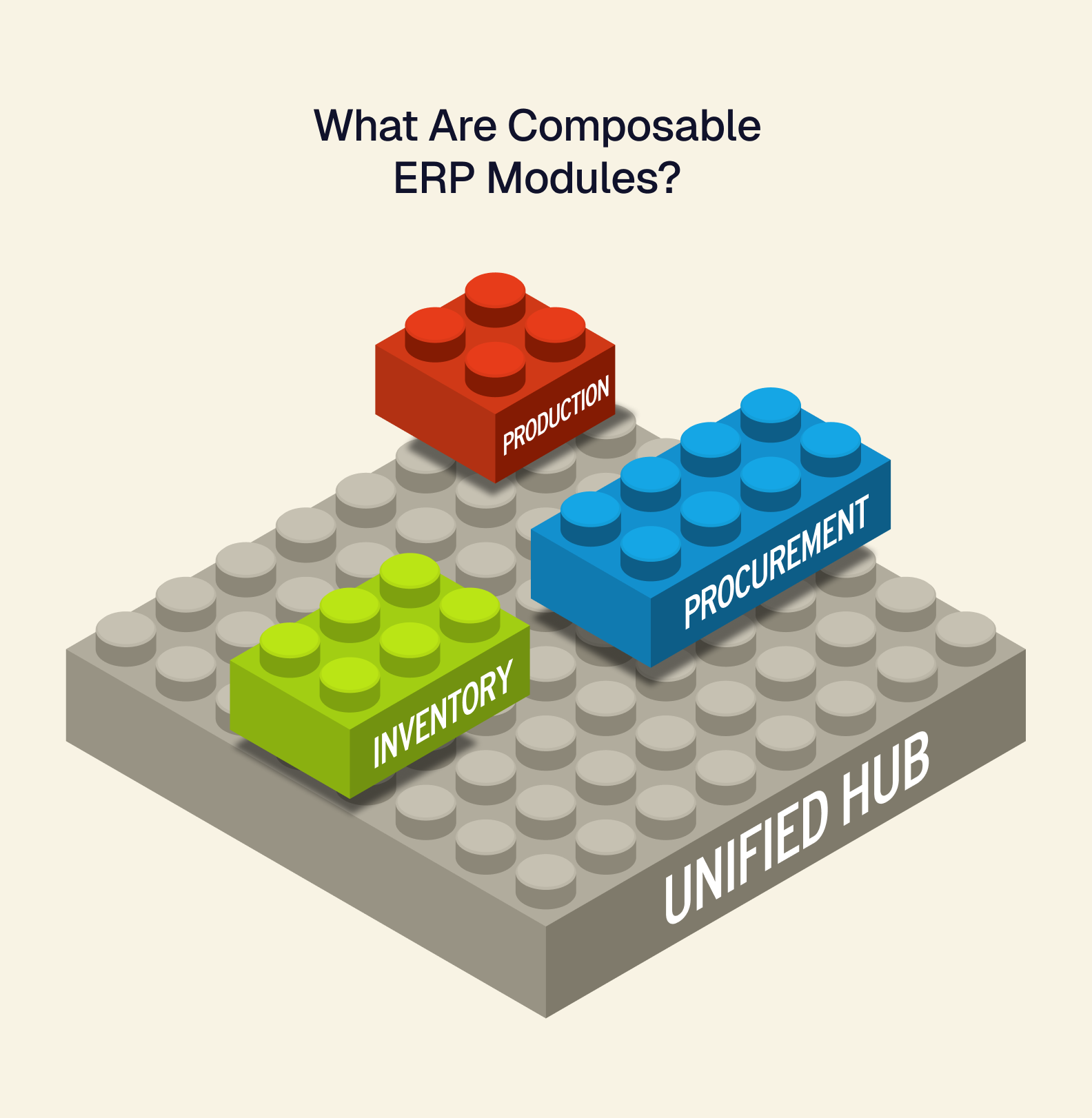
Simply put, composable ERP modules are flexible, purpose-built tools that enable you to connect your tech stack into a unified, custom front end. You don't have to worry about working with tools you don't need, or being stuck with a confusing user interface (UI) — composable modules enable you to work with a customized UI that's designed for your needs.
What kind of composable modules exist for your shop floor?
Inventory Module: track stock levels by location, manage your warehouse data, and gain real-time reconciliation of your inventory data.
Procurement Module: manage your purchase orders and interface with your vendors to keep your inventory flowing.
Production Module: cut costs and organize your throughput by managing your production methods, shop floor, and sales forecasts.
Playing with "Power Tools" — The Tailor Difference
If you're tired of operating on spreadsheets and workarounds, then it's time to consider how a headless, composable manufacturing ERP software can radically transform your daily operations. The first thing to understand is that while most ERPs are extremely powerful, they'll ask you to abandon your current tools and are costly to integrate (in both a capital and time sense). Your business would benefit far more from a purpose-built headless ERP that delivers a custom interface and allows you to keep the tools you know work.
This is where Tailor's flagship product, Omakase, can help.
Omakase is a headless ERP solution that puts composability first, and can easily integrate your API-enabled manufacturing tools within weeks, rather than the months (or more than a year) other popular ERP suites take. Plus, Tailor enables pilot programs to ensure that your integrations will work exactly how you need them to.
One of the biggest hurdles to integrating a traditional ERP is that it's very all-or-nothing — you have to push the entire system live and fix what's broken afterward. Omakase avoids this entirely, offering you the ability to be flexible and precise with your integrations.
Unify Your Shop Floor with Manufacturing ERP Software
Let's bring it back to the start: the "hammer" your manufacturing business needs is headless, composable manufacturing ERP software.
You need precision, flexibility, and the power necessary to keep your production pipeline working flawlessly. Spreadsheet fatigue and manual entry errors do not have to be a constant in your business, and you can make it easier to interface with your vendors.
By integrating Omakase, you can ditch inefficient workflows, mistakes, and finally give those spreadsheets a rest. Schedule a demo with us to see how Tailor's manufacturing ERP software unifies your shop floor.