Every legacy business that has ever had the pleasure of finding success in the marketplace has had to face down the reality that, under different conditions, its venture could have fallen apart. But in the modern day, there are a number of ways to mitigate unfavorable conditions: new technology, global customer bases, and access to specialized talent.
However, there's one constant that cannot be ignored by the long-standing household names nor the daring start-ups: inventory management. For Shopify merchants going multi-channel, Shopify inventory management becomes the make-or-break factor. Without strong inventory management, most businesses are staring down the barrel of ripping apart in unfavorable conditions. Inventory management solutions function as the adhesive that holds an operation together.
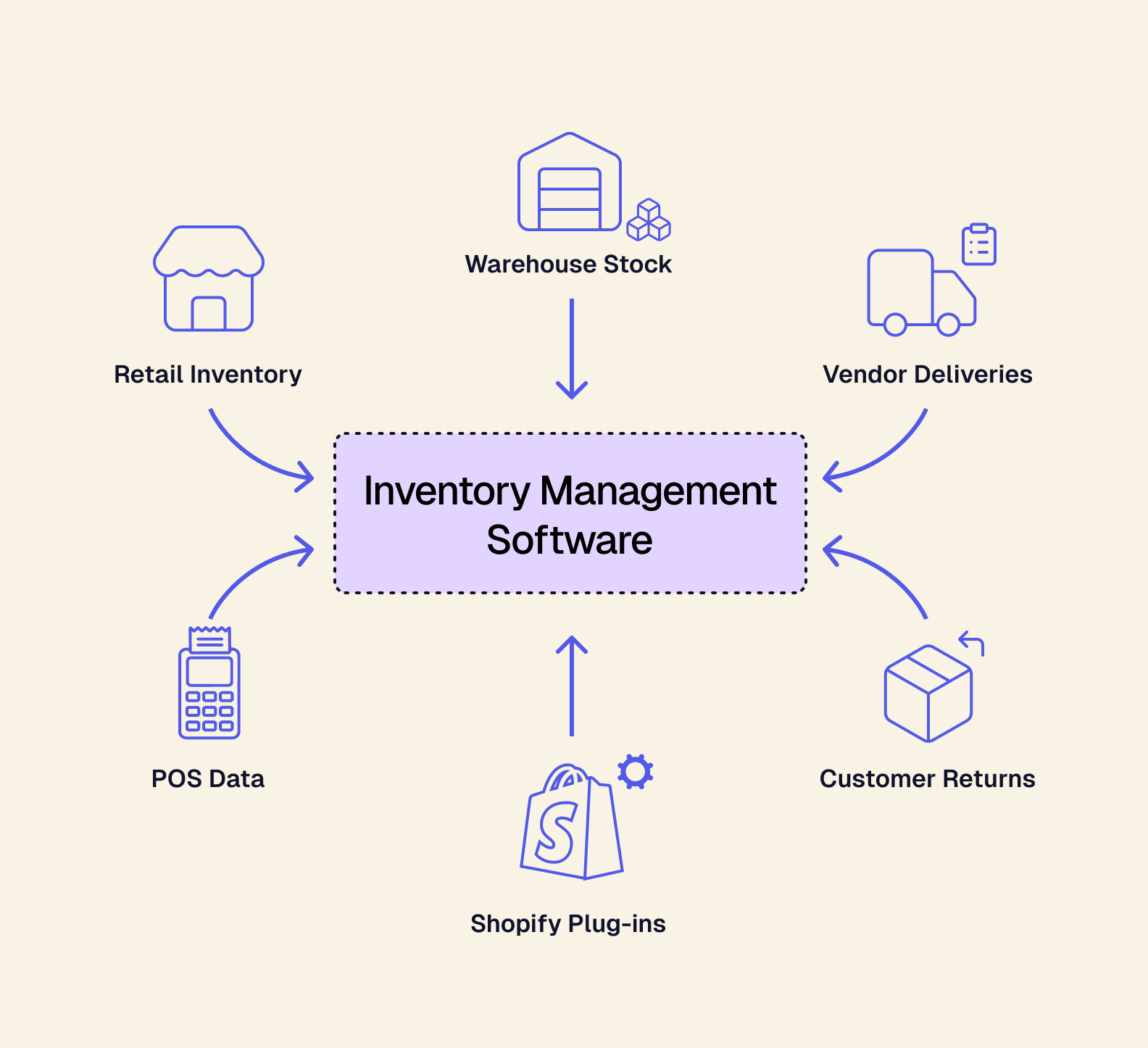
In the same way that industrial-grade super glue shouldn’t be used to seal wiring in a wall, it’d be silly to try and use duct tape when you need contact cement. Different-sized businesses need different “adhesives” (inventory management software) to ensure they can continue operating and scale their business properly.
If you're operating a multi-channel retail business and need better Shopify inventory management, you'll definitely want to pay attention to this learning guide.
Learning Objectives
-
Understand the different tiers of multi-channel retail.
-
Discover each tier’s specific inventory management limitations.
-
How you can get beyond those limitations by leveraging composable inventory management solutions.
-
What you should look for in modern inventory management tools.
The Three Tiers of Shopify Multi-Channel Retailers
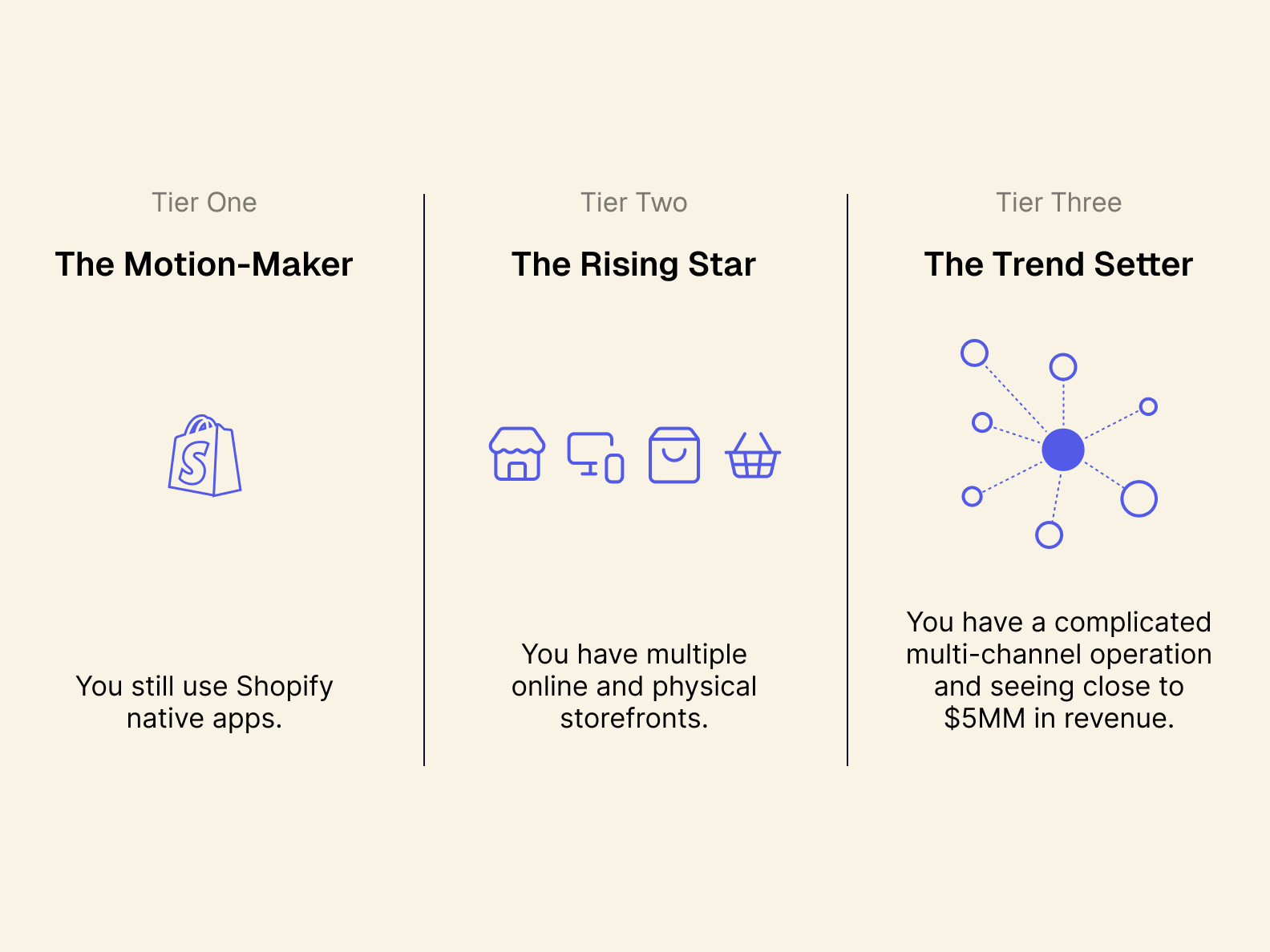
Tier One: The Motion-Maker
The Tier: Tier one belongs to small businesses: operations that have a dedicated customer base but are still operating within Shopify’s “native” ecosystem. As a “Motion-Maker,” your business is flexible and benefits from being a fresh presence in your niche.
The Tools: This means you’re largely using apps and plug-ins you can find on the Shopify App Store. You might be using a handful of third-party tools as well, but the bulk of your processes are built with Shopify as your main sales avenue.
Tier Increase Indicators: Your sales traffic demands you add new SKUs to your offerings and expand your warehousing (or acquire it). You’ve also started selling via other web platforms like Amazon and TikTok, or gained inventory space in brick and mortar locations (either your own storefront or a big-box store).
Tier Two: The Rising Star
The Tier: Tier two belongs to SMBs, or businesses with some operational complexity. This looks like significant multi-channel sales, warehouse inventories that are frequently moved between multiple locations, and steadily increasing sales each quarter.
The Tools: Your tools likely still rely on some native Shopify apps or plug-ins, but you’re actively using third-party solutions to add features to your operations. You may also be looking at an ERP solution to unify your operations around.
Tier Increase Indicators: Your revenue has increased to somewhere within the $5-50MM range. By this time, you are absolutely ready for an ERP solution to organize your business for a scaling push.
Tier Three: The Trend Setter
The Tier: At this point, your business is likely a household name, or at the very least highly recognizable. You’re doing more than $50MM a year and may have hit “escape velocity” into being larger than a Medium-sized business ($1bn in yearly revenue with more than 1000 employees).
The Tools: Your primary tools are contained within your ERP. You absolutely have enterprise HR, Payroll, and CRM tools. This can look like monolithic ERPs like NetSuite, Odoo, and SAP S/4HANA.
Tier Increase Indicators: If you’re at this level, there isn’t a traditional tier to move up to — but there is a way to break out of the tier system, and that’s through adopting a composable approach to how you scale your business. In fact, at any tier, you have the opportunity to do this (we’ll return to this in a bit).
Mind the Gap: Shopify Inventory Management Limitations at Each Tier
Tier One Limitations: When Shopify Inventory Management Hits Its Ceiling
Q: What happens if I plan to only rely on Shopify’s native tools?
A: Shopify is a fantastic platform, and its native Shopify inventory management tools are specifically designed for small businesses with limited multi-channel exposure. They do have some great entry-level multi-channel tools to use, but to be truly competitive as a multi-channel retailer, you need tools that offer accurate inventory reporting and tracking in real time. Shopify's native inventory management tools struggle to do this, but there are third-party Shopify inventory management apps that will enable these benefits.
Q: How do I know when it’s time for third-party tools?
A: Easy: if you’re dealing with inventory issues related to daily reports instead of real-time tracking, it’s time for third-party tools that will level up your information pipeline.
Q: Should I start looking at ERP solutions to avoid Shopify limitations?
A: Even if you do not need an ERP now, build with the future in mind. Anticipate the types of tools you will likely need in the future, and look into composable ERP solutions, like Tailor, which is purpose-built to meet your specific needs — without asking you to upend the way you do business.
Tier Two Limitations: Dealing with Limited Features and Specializations
Q: What can I do if my favorite tools don’t talk to each other?
A: It’s highly likely that many of your tools are API-enabled and can be integrated into a unified dashboard. However, if you’re not ready to integrate a composable ERP into your inventory management, we recommend trying to add tools to your tech stack that are designed to work together in some way. This way, you can keep your processes simple and clean.
Q: How do I deal with inventory issues caused by lagging reports?
A: Overstocks and stockouts are commonly caused by slow reporting and subpar forecasting tools. If you’re experiencing these issues right now, this means you need tools that give you real-time inventory reports and can work with your historic data to highlight sales trends. In both cases, your best bet is a composable solution that can interface with your inventory levels across multiple channels and become the source of truth for your inventory.
Q: What should I do if my business really needs an ERP to keep up?
A: Before you commit to a costly ERP integration, you should weigh your options: ERP integration is not something to take lightly and choosing the right solution for your business can often be make or break. However, before you make the decision, you should take a holistic look at your business and make sure you understand what an ERP can do for it (and what it can’t). Then, you can start shopping with confidence.
Tier Three Limitations: The 3 Rs — Rigidity, Ripping, and Replacing
Q: My business is about to purchase an ERP. How do we move forward without our current tech stack?
A: The way you run your business will change with a monolithic ERP. Because monolithic ERP integration takes a lot of time and resources, you should use your current tech stack as long as you can before making the final switch over. Your Ops team can use this time to create new processes to follow to make the transition smoother, while also running some pilot programs to ensure the integrations work as intended.
Q: How do I know which ERPs are monolithic, and which ones are composable?
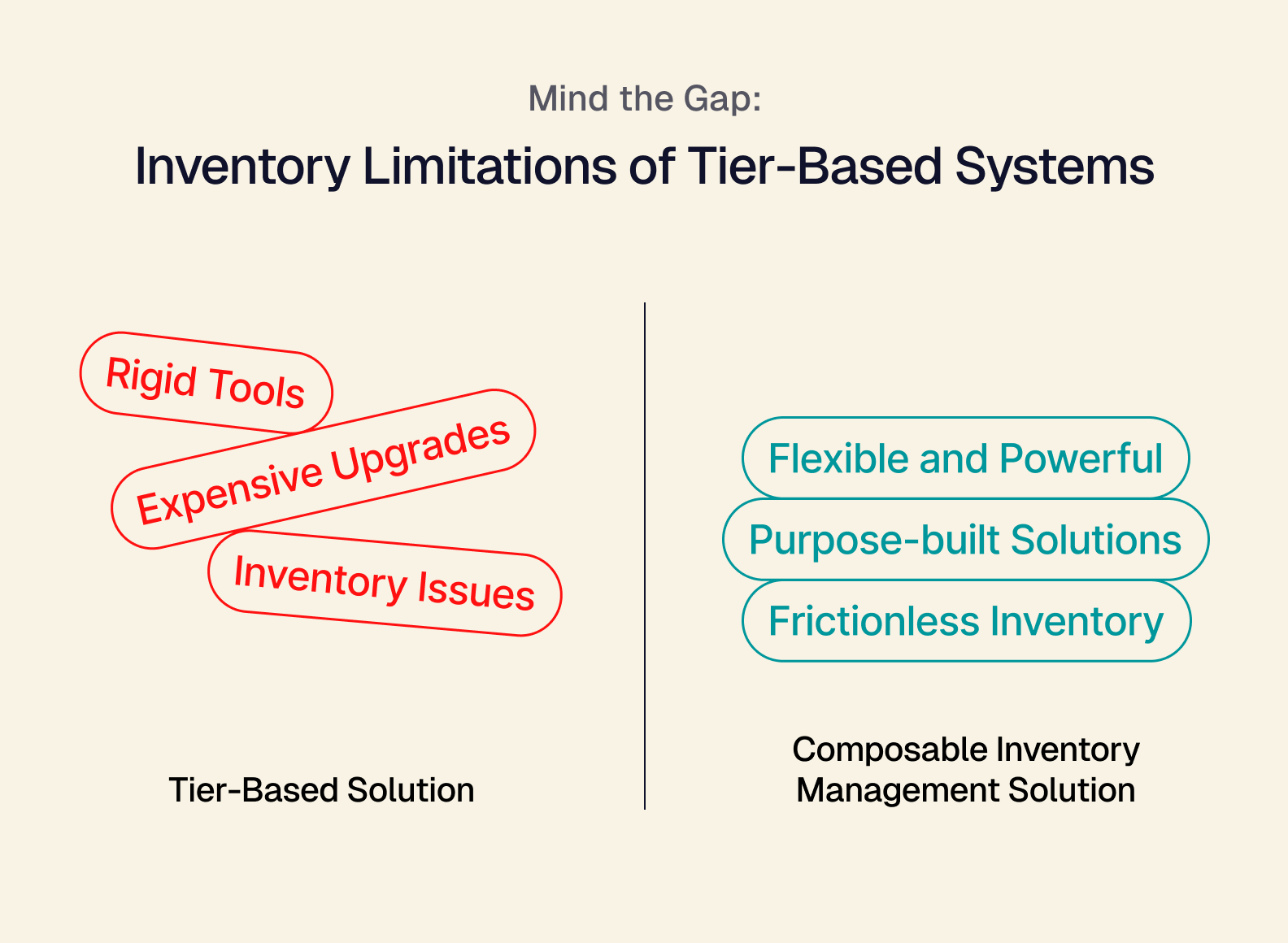
A: Monolithic ERPs tend to be suite-based solutions. They come with all the tools you need (and maybe some you don’t), and they are largely designed to only work together. If it’s a perfect fit for your business, these tools are powerful, but if your business has some unique operational benefits afforded by your customized tech stack, you may struggle to hold onto those benefits. Composable ERPs are purpose-built to shore up your weaknesses and support your continued growth — without asking you to stop leveraging what has been working best for you.
Q: Is “Rip and Replace” really that bad?
A: In some rare circumstances, rip and replace ERP solutions can help struggling businesses be rid of convoluted processes and inefficient tasking — which helps things get back on track. But more often than not, the bad side of ripping and replacing comes with the time, financial, and learning costs associated with having to learn new programs and tasking patterns.
Go Beyond Tiering: Composable Shopify Inventory Management
Now onto how you can break out of a tiered trajectory for your mutli-channel retail business:
By integrating a composable inventory management solution like Tailor, you’re able to achieve the benefits of having an ERP without being bogged down by integration time, unnecessary software suite additions, and at a cost appropriate for your size.
-
Tier one operations can plan to integrate a composable solution when they’re ready to go fully multi-channel. By building your tech stack around powerful API-enabled tools, you can build processes and workflows that are future-proof and will be viable when you integrate composable ERP tools.
-
Tier two retailers can quickly pivot to integrating purpose-built, composable tools. One of the advantages of composable tools is that you get the power of custom solutions without the headache and cost. Purpose-built tools fit perfectly into a composable ERP solution when you’re ready to go all in on sustainable scaling.
-
Tier three enterprises can preserve their processes and tech stack to avoid ripping and replacing. The simple truth of integrating a headless ERP solution is you’re free to keep operating in the ways that have worked for you. Keep your API-enabled tech stack, get all your data in one place, and benefit from having a single source of truth for your inventory management operations.
If you're interested in becoming a more flexible and scalable multi-channel retailer, or just looking to level up your Shopify inventory management, schedule a chat with us. We can walk you through a demo, so you can see the power of Tailor yourself.