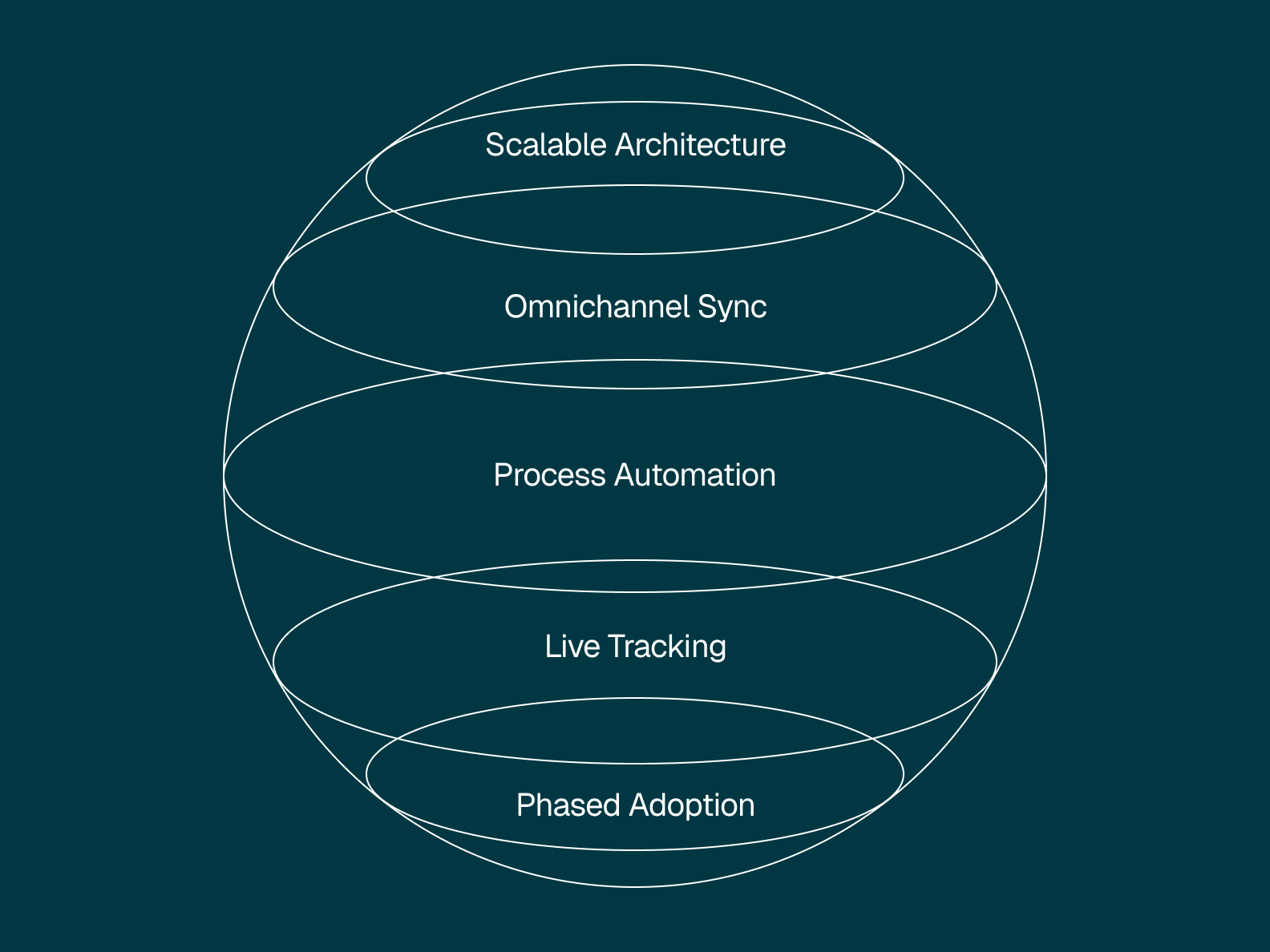
We've worked with enough growing brands to know that inventory management best practices aren't complicated — they're just simple things that are hard to do consistently. The businesses that get this right focus on a few core best practices: build on modular systems that can scale with you, integrate inventory across every sales channel in real time, automate the manual work that bleeds time and creates errors, and make real-time data your baseline for every decision.
The hard part isn't knowing what to do — it's that most businesses are running on systems that weren't built to do any of it. Rigid, monolithic software might've been fine in the early days. But in 2026, when you're selling across Shopify, Amazon, wholesale, and a storefront downtown, those tools start breaking in ways that cost you real money. Gartner research estimates that "by 2027, more than 70% of recently implemented ERP initiatives will fail to fully meet their original business goals." That's not a technology problem — it's a systems-thinking problem.
Here's what you'll learn:
- How to build modular, scalable inventory systems that don't break every time you add a channel
- Why real-time omnichannel inventory sync is the foundation everything else depends on
- The automation ROI data from McKinsey — including a $2M investment that returned $35M in savings
- A stage-by-stage framework for what to fix first based on your revenue ($1M, $1–10M, $10M+)
- Which inventory management KPIs actually matter — and how to track them by channel
Build scalable inventory management systems
Growing a business means lots of change: new products, new channels, and new ways of doing things. If your inventory management system can't keep up, it'll slow you down. Your organization needs tools that grow with you and don't force you to jump through hoops every time you try something new.
There's a reason Gartner's Mike Helsel put it this way: "Many ERP systems of the past earned the descriptor 'monolithic' due to their infamous inflexibility," said Helsel. "In contrast, modern cloud ERP ecosystems embrace low-code flexibility and modular composability. This will enable finance functions to combine and operationalize new capabilities much faster, moving in lockstep with shifting market environments." (Gartner, Feb 2026)
That's where modular, API-first platforms deliver, giving you the ability to build exactly what you need and nothing you don't — so you can add functions, remove friction, and integrate with what's already working. It's a plug-and-play approach that lets you future-proof your operations without blowing everything up every time you hit a new growth phase.
Traditional systems make you choose between two equally painful paths: commit to a bloated all-in-one ERP or duct-tape together best-of-breed tools that never really talk to each other. Neither path works at scale. And the market is moving fast — Gartner forecasts that 62% of cloud ERP spending will go toward AI-enabled solutions by 2027, up from just 14% in 2024. The businesses that aren't building on composable, scalable systems today are going to have a harder time catching up tomorrow.
With a composable retail operations platform like Tailor, you don't have to choose. You can integrate best-in-class tools for ecommerce, logistics, accounting, and customer service while still maintaining a single source of truth — your operational core.
Choose tools that grow with you:
- Look for modular architecture.
- Prioritize integrations over replacements.
- Avoid systems that lock you into fixed processes.
- Invest in platforms that enable custom workflows without custom dev work.
Integrate inventory tracking across every sales channel
You don't just sell in one place anymore (or maybe you never did). Shopify. Amazon. A brick-and-mortar spot downtown. TikTok Shop. Wholesale orders that come in via email. Wherever customers are, your inventory has to be right — not by the end of the day, but in real time.
But too often, businesses try to duct tape a solution together. A little QuickBooks over here. A little Excel over there. A third-party plugin that sort of works when the wind's blowing the right direction. The more you scale, the shakier this foundation becomes. Each additional channel introduces more risk: overselling, fulfillment errors, inaccurate lead times, unhappy customers. And according to McKinsey, "In our experience, an online order's cost per unit can easily be four to five times higher than traditional brick-and-mortar replenishment and ten times higher than wholesale fulfillment." That's not just an operational nuisance — it's a revenue killer, and it gets worse when your channels aren't talking to each other.
McKinsey's research on omnichannel operating models is clear on this: "A siloed organization with separate processes for each channel is not enough to create a successful omnichannel approach. A new perspective on processes, structures, and people is required." (McKinsey)
An inventory management system that offers true omnichannel integration doesn't just sync — it connects. That means real-time data flowing between systems, automatic stock adjustments, centralized visibility, and fewer fulfillment disasters waiting to happen. Or as McKinsey puts it: "An integrated one-inventory concept is crucial for efficient omnichannel operations. Inventory shouldn't be dedicated per channel but rather managed in a way that ensures fast and timely restocking through all channels." (McKinsey)
Integration headaches, solved:
- Centralize your inventory across all platforms.
- Use an API-first system for seamless data flow.
- Get alerts before a channel oversells a product.
- Sync fulfillment and shipping data to reduce delays.
- Connect demand forecasting tools to purchasing workflows.
Modern inventory systems should be built with marketplaces, B2B portals, and DTC stores in mind. Tailor lets you connect them all through one hub, whether you're selling printed t-shirts or personalized pet ID tags.
Automate inventory processes to reduce errors and carrying costs
Every time someone has to manually update stock levels or chase down a misplaced SKU, your business bleeds time and money. And yet, only about 20 percent of warehouses in North America have adopted any form of automation, according to McKinsey — even though 70 percent of distribution leaders plan to invest approximately $100 million in automation over the next five years. There's a massive gap between what businesses know they should do and what they've actually done.
The ones that have moved? The results speak for themselves. McKinsey documents a regional grocery chain that implemented warehouse automation and saw "20 percent run-rate savings, a fourfold increase in productivity, 15 to 20 percent faster response times, and a 20 percent decrease in space usage." (McKinsey) A global logistics company that integrated autonomous mobile robots into its pick process saw "a 200 percent increase in picking productivity, a 50 percent reduction in cycle time, and faster, more accurate picking, contributing to a 'zero-defect environment.'"
And it's not just physical warehouse automation. On the AI side, McKinsey found that one last-mile operator with a fleet of more than 10,000 vehicles saved $30 million to $35 million by implementing virtual dispatcher agents, with an investment of just $2 million.
But here's what we missed early on: automation isn't magic. McKinsey also notes that "a significant portion of automation projects fail, largely for three reasons: lack of cohesive vision, a poor understanding of automation technology by leadership, and misalignment of beliefs and principles within the organization." (McKinsey) Good inventory automation doesn't take away control — it gives you more of it. Set automation rules that optimize inventory movement across locations, channels, and fulfillment methods, while giving leadership visibility into what's driving performance.
Automation advantages:
- Reduce human error across inventory adjustments and order fulfillment.
- Save time on tedious tasks like replenishment calculations, cycle counts, and safety stock adjustments.
- Automate cross-channel reconciliations.
- Enable smarter reorder point calculations and dynamic reorder logic based on lead time variability.
- Reduce carrying costs by right-sizing inventory levels across locations.
- Free up operational teams to focus on strategic initiatives like supplier negotiations, margin improvements, and merchandising optimization.
Automation isn't about replacing your team — it's about amplifying what they're capable of.
Use real-time inventory data for demand forecasting and smarter decisions
In the old days, you'd run an inventory report at the end of the week and hope for the best. But now? That kind of lag could sink you. Between fast-moving consumer expectations and razor-thin margins, you need insights that are up to the minute, not outdated by the time they hit your inbox.
And we're not alone in thinking this. According to Gartner, "Around 84% of buyers prioritize reporting and analytics, followed by demand forecasting and order management" when evaluating inventory management software. Analytics isn't a nice-to-have anymore — it's the number one thing buyers look for.
Real-time inventory systems turn every SKU into a data point you can act on. You can track inventory turnover rates to see what's flying off the shelves, run ABC analysis to identify which products deserve the most attention, spot slow-moving stock that's eating up carrying costs, and flag items at risk of stockouts — all in one place, and all as it happens.
Better yet, AI-native systems go beyond the dashboard. They surface trends you might not catch on your own, flag anomalies before they become issues, and help you make smarter purchasing and pricing decisions. Gartner predicts that finance organizations using cloud ERP applications with embedded AI assistants will see a 30% faster financial close by 2028. And it's not just finance — Gartner expects that by 2028, 25% of KPI reporting will be powered by GenAI models across supply chain operations.
Features to look for:
- Real-time tracking of all stock levels and locations.
- Predictive analytics for demand forecasting and demand sensing.
- Automated low-stock alerts with reorder point suggestions based on lead time and sales velocity.
- Intelligent replenishment recommendations that factor in economic order quantity, historical trends, and seasonal demand patterns.
- Dashboards customized by role: ops manager, buyer, warehouse lead, and more.
Real-time visibility means better communication across departments. When marketing knows what's in stock, they can promote more intelligently. When customer service has accurate inventory data, they can resolve issues faster. That's not a marginal improvement — it changes how fast your whole organization can move.
Transition from spreadsheets to integrated inventory management
Look, nobody's judging you for using Excel. It's familiar, and it works (until it doesn't). But you're not alone — Gartner reports that "Around 34% of buyers use manual methods, including spreadsheets and pen-and-paper based approaches for managing their operation workflows." Another 22% have no system in place at all. That's more than half the market operating without dedicated inventory management tools.
At a certain point, managing inventory control with spreadsheets or entry-level software like QuickBooks becomes an operational liability. You lose visibility into inventory turnover, you can't calculate safety stock or reorder points with any confidence, and carrying costs creep up because nobody has a clear picture of what's actually moving. Shifting to an ERP-based or integrated inventory optimization system will allow you to replace disconnected tools with a system that ties everything together: orders, vendors, fulfillment, accounting, and forecasting.
But what we've learned — and what the data confirms — is that the hardest part of migration isn't the technology. METRO AG, a multinational food wholesaler, went through a painful ERP transformation that dragged on for years. When Florian Waldmann, SVP of Finance Transformation, took over the program, he found something surprising: "The biggest surprise for me was realizing just how many of the fixes had nothing to do with the technology itself." (McKinsey) Once his team focused on governance, KPIs, and team buy-in, "These efforts, among others, helped us to reduce the program duration by around 30 percent and save double-digit millions of euros."
We know change is hard. But that's why Tailor emphasizes modular adoption — so you don't have to do it all at once. Start by syncing your inventory data and gradually bring in automation, forecasting, and channel integrations as you go.
Make the transition smoother:
- Audit current systems and processes to identify gaps.
- Map out integration points: Shopify, QuickBooks, warehouse tools, etc.
- Choose a platform that supports modular adoption and phased rollouts.
- Support cross-functional adoption with clear training plans and role-specific onboarding.
- Track ROI metrics as you go (e.g., time saved, error reduction, order accuracy).
Don't let the fear of a complex transition keep you tied to tools that are slowing you down.
Inventory optimization by business stage: what to fix first
Every inventory management best practices list tells you to do the same things. None of them tell you what to do first — which depends entirely on where your business actually is. We've worked with enough brands at different stages to know that the $800K Shopify store and the $30M omnichannel retailer don't have the same problem, even if the symptoms look similar.
Here's how we think about sequencing:
If you're under $1M in revenue — fix your data first.
Your biggest risk isn't a bad system — it's bad data inside whatever system you have. Before you automate anything, make sure your SKU counts are accurate, your product data is clean, and you have a single place where stock levels are tracked. If you're running on spreadsheets, that's fine for now — but the spreadsheet needs to be the one spreadsheet, not three conflicting versions. Set benchmarks for stock accuracy and fulfillment errors so you have a baseline before you change anything.
If you're $1M–$10M — integrate your channels.
At this stage, you've probably added a second or third sales channel and the cracks are showing. Overselling. Manual reconciliation between Shopify and Amazon. Orders falling through the gaps. The priority here is getting your inventory synced across every place you sell — in real time, not at the end of the day. Map out your integration points (e-commerce, warehouse, accounting) and get them connected. This is also when you should stop using QuickBooks or spreadsheets as your inventory system and move to a dedicated platform.
If you're $10M+ — automate and forecast.
Your data is clean. Your channels are integrated. Now the bottleneck is people doing manual work that software should handle: reorder calculations, stock transfers between locations, cycle counts, order routing. This is where automation and demand forecasting deliver the highest ROI — because you have enough volume and enough historical data for those tools to actually work. Focus on eliminating redundant tools, automating replenishment logic, and tracking inventory performance by channel so you know what's profitable and what's dragging you down.
At every stage, the principle is the same: fix the foundation you're standing on before you build the next floor. The businesses that skip ahead — automating before their data is clean, or adding channels before their inventory is synced — end up spending more time fixing problems than the automation was supposed to save.
Frequently asked questions about inventory management best practices
What is the most important inventory management best practice for growing businesses?
The single most impactful practice is maintaining a single source of truth for your inventory data across every channel you sell on. It doesn't matter how good your demand forecasting or automation is if your stock levels in Shopify don't match what's actually in the warehouse. Real-time inventory tracking across all sales channels — e-commerce, wholesale, and brick-and-mortar — is the foundation that every other best practice depends on. Get that wrong, and you're building on sand.
How do I choose between inventory management software options?
Start with how you actually sell, not with a feature checklist. If you're selling on two or more channels, you need real-time inventory sync — not end-of-day batch updates. If you're growing fast, you need modular architecture that lets you add capabilities (demand forecasting, warehouse management, accounting integrations) without ripping out what's already working. The biggest mistake we see is choosing a system based on where the business is today instead of where it'll be in 18 months. Platforms like NetSuite, Cin7, and Tailor all approach this differently — NetSuite is a full-suite ERP, Cin7 focuses on inventory-first workflows, and Tailor is a composable, API-first platform that lets you build exactly the operational stack you need.
What's the difference between inventory management and warehouse management?
Inventory management is the broader discipline — it covers what you have, where it is, how much to reorder, and when. It includes demand forecasting, safety stock calculations, reorder point planning, and inventory optimization across every location and channel. Warehouse management is a subset that focuses specifically on the physical operations inside a warehouse: receiving, put-away, picking, packing, and shipping. You can manage inventory without a warehouse (think dropshipping or third-party logistics), but you can't run a warehouse well without solid inventory management underneath it. Most growing businesses need both, and the systems should talk to each other in real time.
How often should I conduct inventory audits?
It depends on your volume, but the short answer is: more often than you think, and less painfully than you'd expect. Cycle counting — where you audit a small subset of SKUs on a rotating basis rather than shutting down for a full physical count — is the standard best practice. High-velocity SKUs (your A-category items in an ABC analysis) should be counted weekly or biweekly. Slower-moving items can be counted monthly or quarterly. The goal is continuous accuracy, not a once-a-year scramble. If your inventory accuracy is below 95%, you have a data quality problem that's costing you money in stockouts, overselling, and carrying costs — and no amount of automation will fix it until the counts are right.
What inventory management KPIs should I track?
The five KPIs that matter most for growing businesses are: inventory turnover rate (how fast you're selling through stock — higher is generally better), stockout rate (how often items are unavailable when customers want them), carrying cost as a percentage of inventory value (the total cost of holding inventory, including storage, insurance, and depreciation), order accuracy rate (percentage of orders shipped correctly the first time), and days sales of inventory (how many days of sales your current stock covers). Track these by channel and by product category — the averages hide the problems. A product with 12x turnover and one with 2x turnover shouldn't be managed the same way, and channel-level data will show you where integration gaps are bleeding margin.
Bottom line: inventory management systems should unlock growth — not block it
The best inventory management strategies are about more than keeping your shelves stocked and orders on time — they're about building a business that can scale without chaos. One that aligns inventory operations with business goals and delivers clarity, speed, and control as you scale.
That takes a system built to support you, not one that boxes you in — and that's where Tailor comes in. Our API-first, AI-native retail operations platform is designed to help you automate what matters, integrate what works, and grow without compromise.
Ready to optimize your inventory management so your business can thrive?
Schedule your demo with Tailor today.