Most ops teams can correctly identify inefficiencies or snags caused by patched-together processes or hacked-together tools. Unfortunately, it's common practice to solve those problems by spending capital on new tools to get around the friction. For small businesses just starting their scaling journey, this can be a valid way to approach problems — but without the right ERP system modules in place, tool sprawl becomes inevitable. And often, acquiring those tools leads to workflow breakthroughs that genuinely improve the business.
However, if this is the go-to strategy with every problem that crops up, daily operations can be disrupted by system bloat — which happens when you have a bunch of niche tools that solve specific friction points in your business's operation, but none of them talk to each other and often have workflows that run counter to other tools.
Spending money won't always fix your problems, but finding a way to get the most out of your existing tools just might.
Got System Bloat? How Composability Helps You Lean Down
Symptoms of System Bloat
System bloat might seem like it would be something obvious to diagnose, but the truth is, it's really not. Oftentimes, only your ops team can identify it quickly — and most of the time, they're not going to have the space (or opportunity) to do the lifting necessary to identify and streamline the bloat out of your workflows.
As with all things in business, it's a balancing act: spend too long ignoring problems, and suddenly it's an "all hands on deck" situation to get things back on track. That's expensive. On the flip side, spending time trying to proactively diagnose bloat can also be expensive; the solution is often to outsource the issue to consultants who are very good at doing their jobs (selling you new tools — you can see the irony).
Okay, but how do you know if you have system bloat?
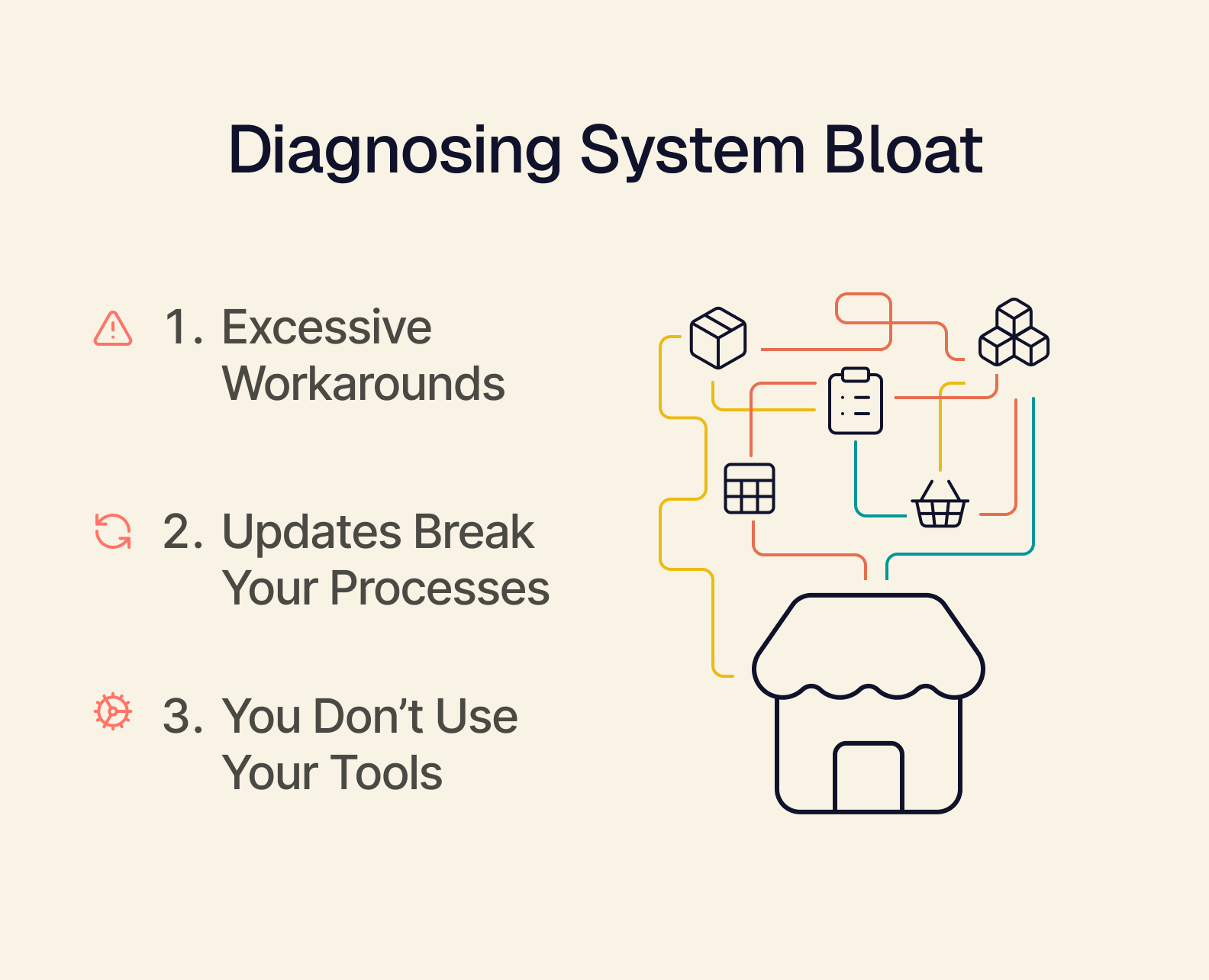
Your ops team has a lot of documentation about "workarounds."
Workarounds are often necessary in the short term to ensure that your daily operations can keep running — but it's also a HUGE red flag that something isn't working. Workarounds are created because either a tool isn't working properly, or there's a very large friction point that's being avoided.
Updating your core tech stack leaves processes broken.
Workarounds and patchwork processes only work as long as things don't change. And in a business environment with more need for security than ever, a forced update (for the security of your business) can send your teams reeling overnight. Worse, what happens if a part of your tech stack is no longer receiving vendor support and it has to be replaced? Your operations break overnight.
Your department heads remark they don't remember the last time they used "that application."
Sometimes, system bloat is purely the result of better tools being added to your existing tech stack, which leaves older software obsolete. Leaving that older software available can sometimes cause process errors between teams, if one team still uses it and another doesn't, leading to the creation of new workarounds.
The Impact of Going Lean
Here's the solution to system bloat: composability.
But why does it work (and what is it)? Simply put, composability is being able to modularly add and remove from your tech stack easily, without your company going up in flames. And if you're suffering from system bloat, Tailor can help you lean out your tech stack — without having to leave behind what's working.
When you "go lean" on your tech stack and leverage the power of a composable solution, you can massively improve your business's performance and insulate it from otherwise inevitable emergencies caused by tech stack failures.
The Composable ERP System Modules You Need (and Why They Work)
Now that you understand composability, let's dig into the ERP system modules that matter for your business.
Inventory Management Module
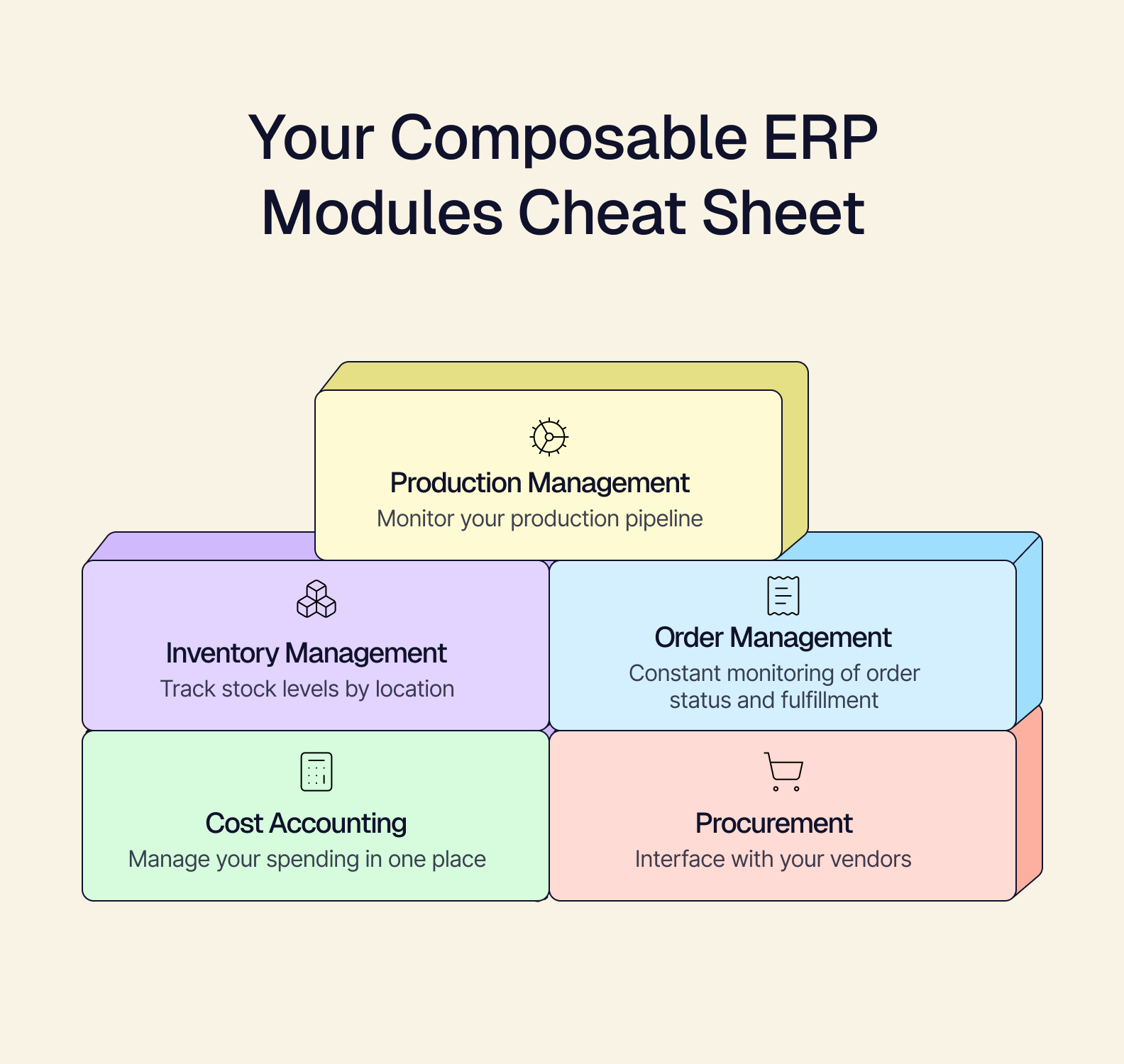
What this ERP module does: track stock levels by location, manage your warehouse data, and gain real-time reconciliation of your inventory data.
- Imagine being able to see every stream of inventory data in a single dashboard — exactly how many units of a particular SKU are available in your warehouse, storefronts, and how many orders have that item shipping out. A composable inventory module is purpose-built to become your single source of truth for your inventory management.
Why composability matters: you can manage your inventory and eliminate overstocks and stockouts.
- Having a composable ERP system module for inventory means you have a flexible inventory management system that lets you add the new API-powered tools as you need them, without changing how you work with your existing tools. Additionally, your inventory module can be customized to show only the most important information so you can streamline your decision-making process.
Order Management Module
What this ERP module does: keep track of order and fulfillment status, and manage your customers to keep them happy.
- Your order management module is what enables you to respond to your customers' needs on a timeline that works for them, while also having deep insight into the flow of your products. This allows you to interface with your customer data, so you can get a better idea of purchase trends and the feedback they have about your products.
Why composability matters: you can access order data from any of your API-powered online and physical storefronts and cut out the spreadsheets.
- By setting up your order workflows to thrive in a single source of truth environment, you can move with speed and trust that the data you're getting from Shopify, Amazon, and your POS solution is correct. No more spreadsheets and data transferring.
Cost Accounting Module
What this ERP module does: integrate your various accounting tools and payroll applications so you can manage your spending all in one place.
- Calculate your COGS, margins, and overall cash flow without having to jump between several different applications. A composable cost accounting module enables you to get the most out of your financial tools without having to move over to an all-in-one ERP solution.
Why composability matters: you don't have to pick and choose how you manage your finances — and you don't have to worry about upgrading to new tools if you outgrow them.
- With financial management, it's important to keep all aspects of your business lean — that includes what you spend on your financial tools. Instead of bringing all your cost accounting under an expensive umbrella, you can keep your less expensive, individual applications.
Procurement Module
What this ERP module does:manage your purchase orders and interface with your vendors to keep your inventory flowing.
- You can also monitor your sales channel to ensure you've got inventory flowing for wholesale orders and seasonal rushes. Your composable procurement module is the key to ensuring you never run out of stock and can keep up with sales projections.
Why composability matters: vendors change and sometimes require custom integrations to work with your business, so your system should be flexible to accommodate.
- A composable procurement module is one of the biggest ways to protect your bottom line. Many inventory problems start at procurement, but you can stop those problems before they start with a composable solution.
Production Module
What this ERP module does: cuts costs and organizes your throughput by managing your production methods, shop floor, and sales forecasts.
- By giving you complete visibility into your production pipeline, you can better optimize your raw materials expenditures, ensure that your workforce workflows are optimized, and use human-monitored automation to carefully tune your throughputs.
Why composability matters: lower your costs and understand how each part of your business is impacted by your production process.
- Because your production data is brought into context with your inventory, costs, procurement, and customer data, you can see exactly what's working, what's not, and easily solve problems as they come.
Omakase — Why Curated ERP Modules and Headless Frontends Heighten Performance
Our flagship product, Omakase (meaning "chef's choice" or, in this case, "curated selection"), delivers curated ERP system modules purpose-built with your business in mind. It's designed to be a headless frontend: a dashboard without a predetermined user interface. This means we customize Omakase to show you only the information you need to see, rather than everything you don't.
Omakase helps you escape the costly realm of monolithic ERPs and allows you to focus on what you do best, so you can scale faster and operate more proactively in your niche.
How Omakase's Composability Maximizes Your Performance
Composability and modularity are designed to maximize your strengths:
-
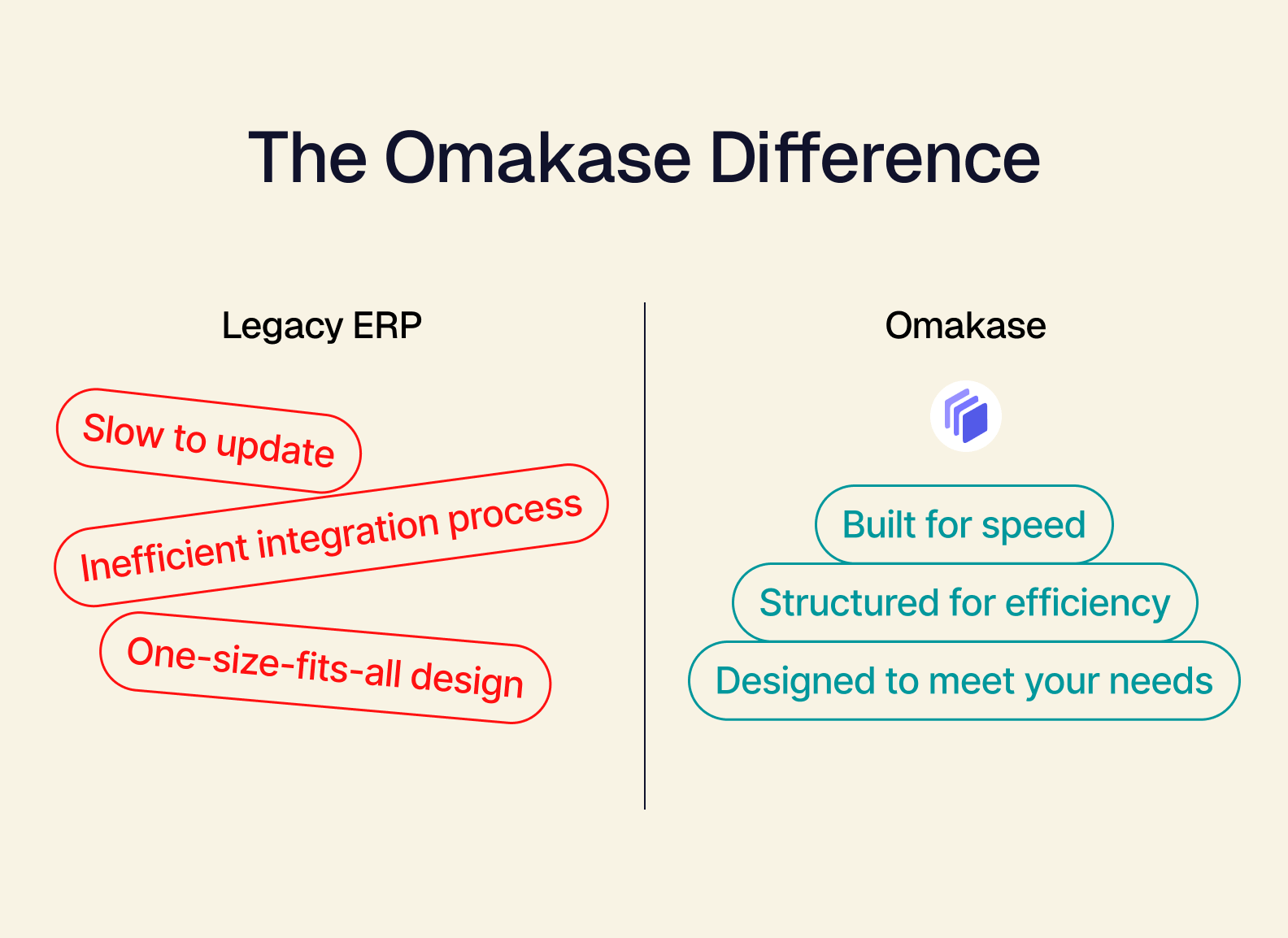
Built for speed. Launch new products or open a new digital storefront, and view the results in real-time — without needing to dedicate months to integration projects.
-
Structured for efficiency. Cut out unnecessary workflows, reduce tasking friction, and get out of managing your business through spreadsheets. Omakase enables you to see your most crucial data, in context, as a single source of truth for your business.
-
Designed to meet your needs. Instead of forcing you to use tools you don't need — or saddling your business with long-term overhead — composable ERP modules do exactly what you need them to do, and can be easily improved as you scale.
Why Monolithic ERPs Won't Help You Scale
Monolithic ERPs (or all-in-one software solutions) are designed for legacy businesses — enterprise-scale companies that have a lot of capital and a large-scale infrastructure to support. Using a solution designed for massive companies ultimately forces you into a justification loop: "If I'm going to shell out for the ERP integration, then I need to use everything it comes with."
That kind of mindset leads to inefficiencies and potentially trying to scale before you're ready. Worse, a monolithic ERP integration can take over a year, frequently disrupting your daily operations and inflating your software costs during that window.
Now it's important to understand that monolithic ERPs are good products, but like all good products, they're most useful for a certain type of customer. If you're doing $5MM to $50MM in sales, you need the flexibility of a composable solution — something that can grow and change with you, as your business is hardly set in stone. Plus, your business was built in the modern era; you know all too well that trying to scale as a legacy-styled business is too slow (and expensive) to keep up in this market.
Unlock Your Next Market with the Right ERP Modules
The right ERP system modules are the key to unlocking your potential. Move into new markets this year instead of "maybe next year." Modularity helps you maximize the power of your existing tools so you can properly grow to meet your customers' increasing demand.
End your system bloat and give yourself the freedom to unlock your next market by booking a demo today. We'll work with you to discover how our composable ERP system modules can benefit your business.